For Insurance agency Owners and administrators.
Duplicate to preserve a starting point
- Click Duplicate on the desired channel model.
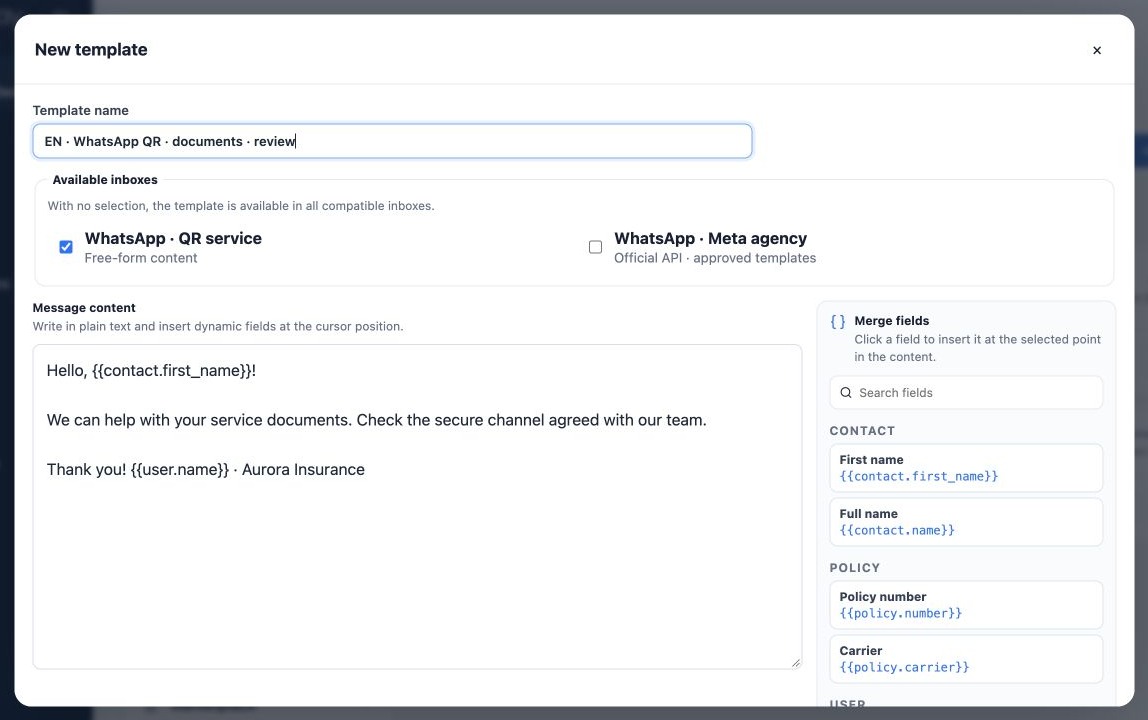
- Rename the copy with language, purpose or revision; the original stays separate.
- For email, review subject and body. For SMS or free WhatsApp, review text and inboxes.
- For official WhatsApp, provider name, language and components remain the old ones. Select the corresponding approved version for a translation.
- Click Save template and reopen the copy to verify persistence.
Duplicate fills a new form; the copy exists only after saving. It helps build EN and ES from a PT structure, but content must be translated and reviewed. Do not translate merge-field keys.
Edit or archive with usage in mind
Use Edit to correct the same model. Before changing a shared message, check its automations and recurring sends. For another purpose or language, prefer a clearly named copy and deliberately update workflow selections.
Archive removes the local model from the active list after confirmation. Review dependent automations and select replacements where needed. Archiving neither recalls sent messages nor guarantees changes to items already prepared in a queue.
Archiving a local WhatsApp entry does not delete the official Meta template. Delete from Meta is a separate irreversible action in its manager with its own confirmation; do not use it merely to organize local names.
Use the right workflow and test
- Open a Kanban/Deals email, SMS or WhatsApp action, or a bulk workflow that offers templates.
- Select sender or inbox and a compatible model; review language and contact or policy context.
- For Open Enrollment, select each language version and check form link and parameters.
- Use a fictitious contact and authorized test destination. Trigger one send and verify received content.
- Check variables, links, paragraphs, subject and replies. Then use with the real audience and monitor Delivery Center.
Templates do not enable channels, connect mailboxes or set delivery limits or purpose. See Configure delivery inside each automation for email choices. Saved content must fit its intended workflow.
When something is missing or incomplete
| Symptom | Check |
|---|---|
| Model missing | Active agency, tab, search, archive state, channel and inbox association. |
| SMS/WhatsApp missing | Conversations availability, permissions and channel inbox. |
| Wrong content language | Selected version; the interface does not translate saved content. |
| Empty field | Record data and workflow context; policy selection and form generation. |
| Official template unavailable | Correct inbox, name, language, Approved status and synchronization. |
| Send incomplete | Connection, limits, authorization, balance where applicable and Delivery Center reason. |
For help, provide template name, channel, inbox, language, workflow and time. Do not include passwords or real client data in examples. The team should be able to reproduce with a fictitious record.
Related guides
- Organize your agency’s message templates
- Create email templates with merge fields
- Create SMS and free-content WhatsApp models
- Prepare and associate official Meta templates
- Administrator manual
Reviewed October 26, 2026.