For Insurance agency Owners and administrators.
Choose the sharing method
| Need | Tool |
|---|---|
| Service staff need Sam’s book on an ongoing basis | Automatic rule by Owner, team or profile. |
| Taylor needs to review one policy for a few days | Manual record share with optional expiration. |
| Someone else will take over the book | Owner reassignment in the relevant modules, separate from sharing. |
Sharing adds access without changing Owner. It applies inside the selected agency. Recipients still need the appropriate profile actions; a read share is not authorization to delete or export.
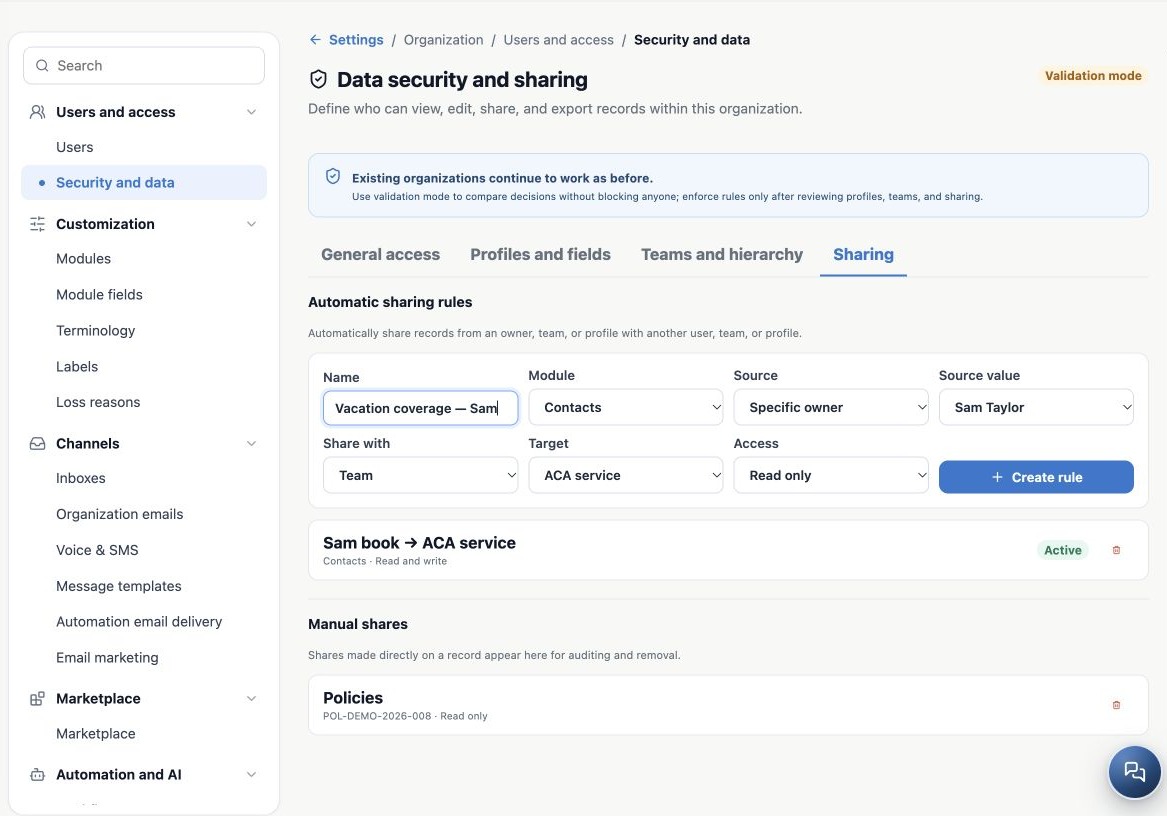
Create an automatic rule
- Open Security and data → Sharing.
- Enter a clear name, such as Sam book → ACA service.
- Choose the Module, for example Contacts.
- Under Source, choose Specific owner, Team, Profile or Owner criterion and select the source value. The available criterion is Owner-based, not a condition on any record field.
- Choose a Share with type: User, Team or Profile, and select the Target.
- Choose Read only or Read and write.
- Click Create rule, confirm it is active and test with the recipient.
If service staff also need policies, create the corresponding Policies rule. A Contacts rule should not be assumed to grant unrestricted access to all related data. Review notes and attachments through their respective parent records.
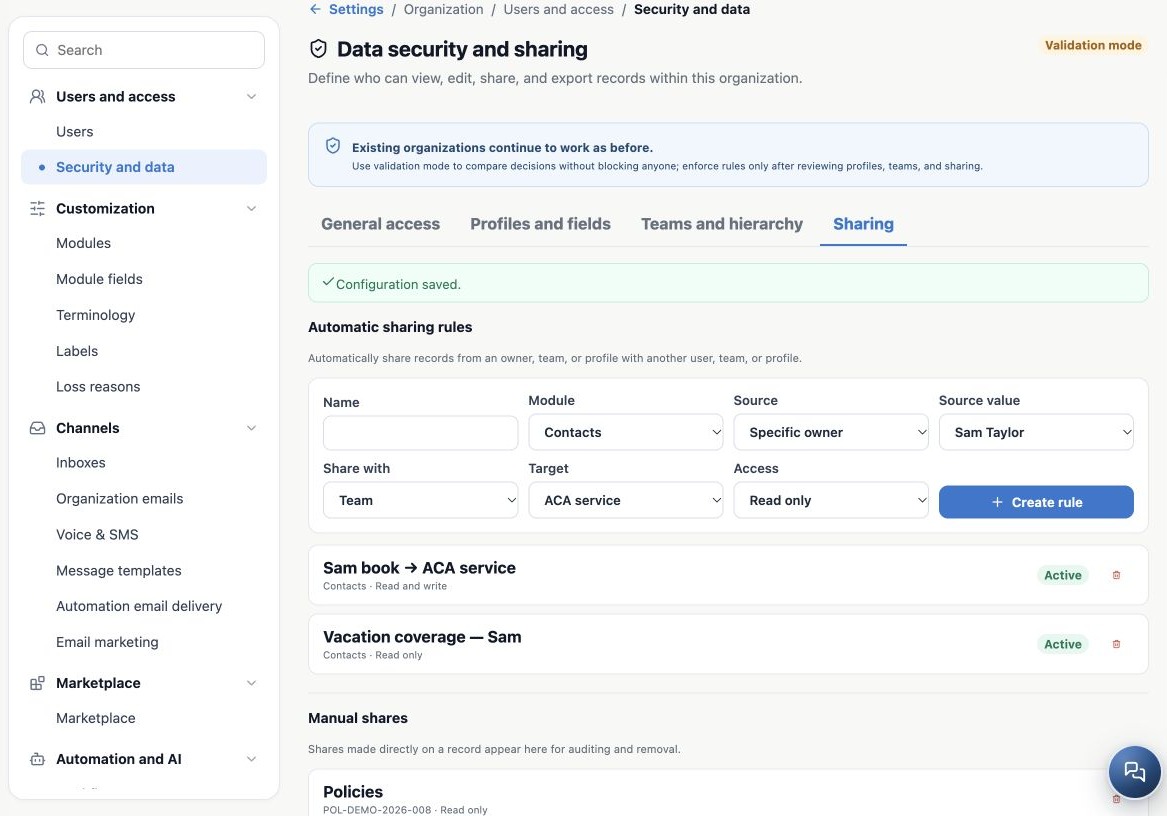
Share one record
- Open a supported record and find Share.
- Select the recipient type and the person, team or profile.
- Set Read only or Read and write.
- For temporary access, enter Expires on.
- Click Share and verify with the recipient.
Sharing requires the share permission and record access. Manual shares then appear in the administrative area for audit and removal. Example: Taylor reviews a policy while Sam is away without becoming its Owner.
Remove access exceptions when they end
Use the trash icon beside the rule or manual share to remove it, then reload and confirm. The current rules interface supports creation and removal. If a rule has no edit control, record its definition and replace it deliberately to avoid unintended access or a service interruption.
Removing one share does not prove all access ended: another profile, team, rule or public default may still allow it. Retest after vacations, role changes and offboarding. The automatic-rule form does not offer the expiration field available for manual record shares.
Related guides
- Plan users and access for your agency
- Organize teams and service hierarchy
- Validate rules and maintain everyday security
- Administrator manual
Updated October 25, 2026.