For Insurance agency Owners and administrators.
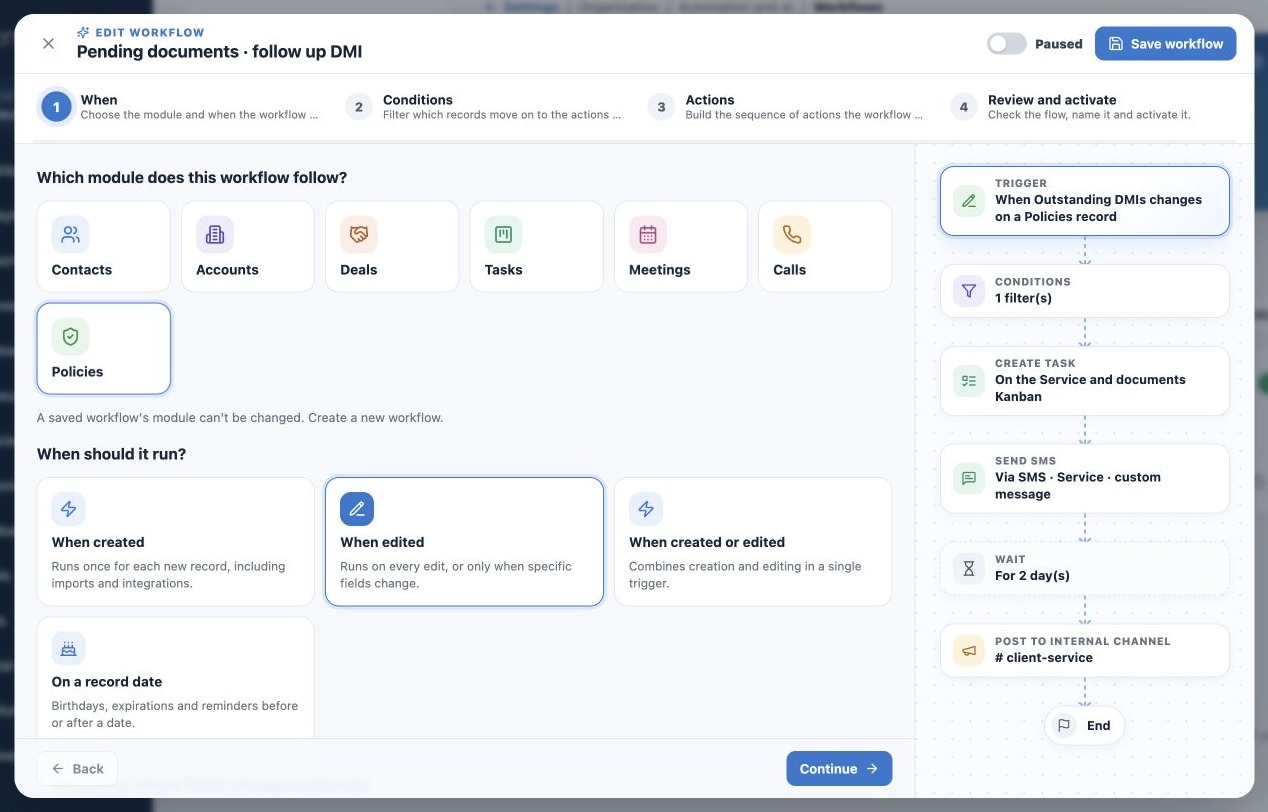
Choose module and event
- Click Create workflow or open a template.
- In When, choose the observed module. A saved workflow cannot change module; create another when necessary.
- Select When created, When edited, When created or edited, or On a record date.
- For edits, select relevant fields. Without field selections, any business-data edit can trigger evaluation.
Example: policy document follow-up should observe outstanding DMI count. A phone correction should not start it. Welcome can observe creation or Status changes and filter Active in the next step.
Understand creation, editing and conditions
A tracked field specifies what changed; a condition specifies the required value. Selecting Status does not mean Active only; add that filter. With creation or editing, creation counts even when tracked fields limit the edit portion.
Imports, APIs and integrations can also create records that trigger active workflows. Review before importing an entire book. Activation is not a command to replay historical creation/edit events. Do not perform bulk changes merely to test.
Configure date reminders
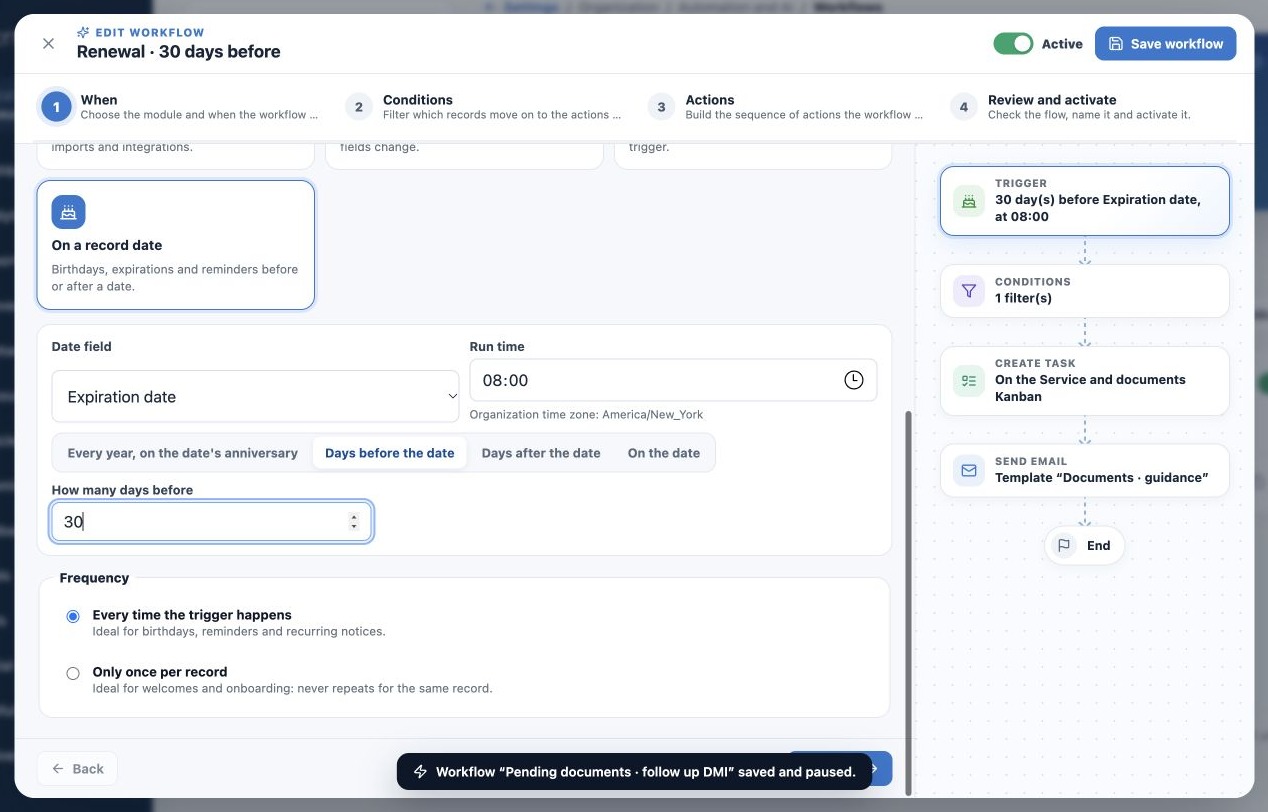
- Choose On a record date and the correct Date field, such as Expiration date.
- Select Days before, Days after, On the date, or Every year on the date anniversary.
- Set offset and Trigger time where applicable.
- Check the organization timezone shown; it may differ from your personal timezone.
- Add conditions such as Status = Active to exclude inactive policies.
Example: November 30 expiration with 30 days before at 08:00 uses the corresponding offset day in the agency timezone. Effective and expiration dates serve different purposes. For client birthdays, choose the available birth-date field in Contacts with annual recurrence.
Date evaluation happens daily from the configured time; delivery at that exact minute is not guaranteed. The record needs a populated date and must match the day and filters. Do not assume all missed days are recovered after a pause.
Set repeat behavior
Every time the trigger occurs permits another run for a new eligible event or date occurrence. Only once per record prevents another run for that record in this workflow. Use it for welcome, but it may prevent future annual birthdays.
Once per Policy record is not once per person: a contact may have multiple policies. A duplicate workflow is a separate flow with its own control. Choose the module and process accordingly if you intend one notice per client.
Related guides
- Understand when to use agency Workflows
- Filter records and control behavior after a wait
- Build workflow actions and channels
- Review, test and activate with control
- Monitor runs and resolve failures
- Administrator manual
Reviewed October 26, 2026.