The relationship continues after the application. Use contact history, policies, conversations and tasks to answer questions and follow up on outstanding work.
Review the context before responding
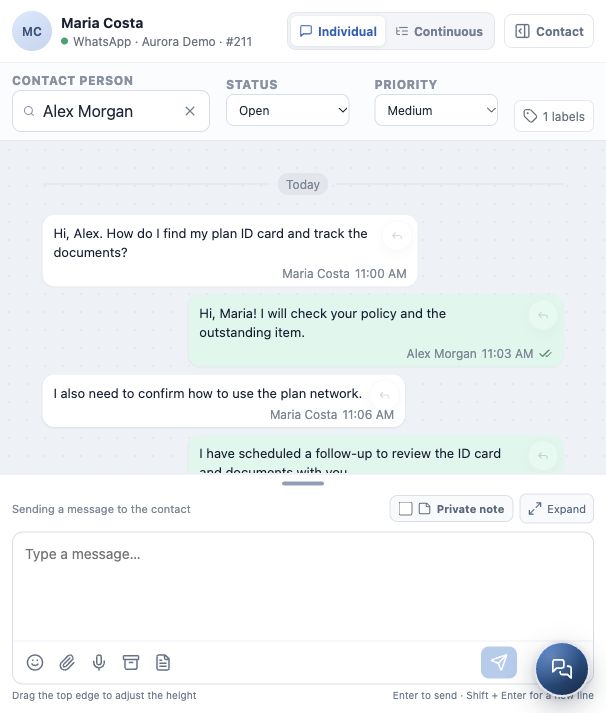
Maria returns to ask about her plan ID card and documents. Alex locates the contact and checks the relevant policy, its status and recorded outstanding items.
In Conversations, the history helps explain the current request and previous agreements. If there is more than one policy, confirm which one the client means.
Turn the request into follow-up work
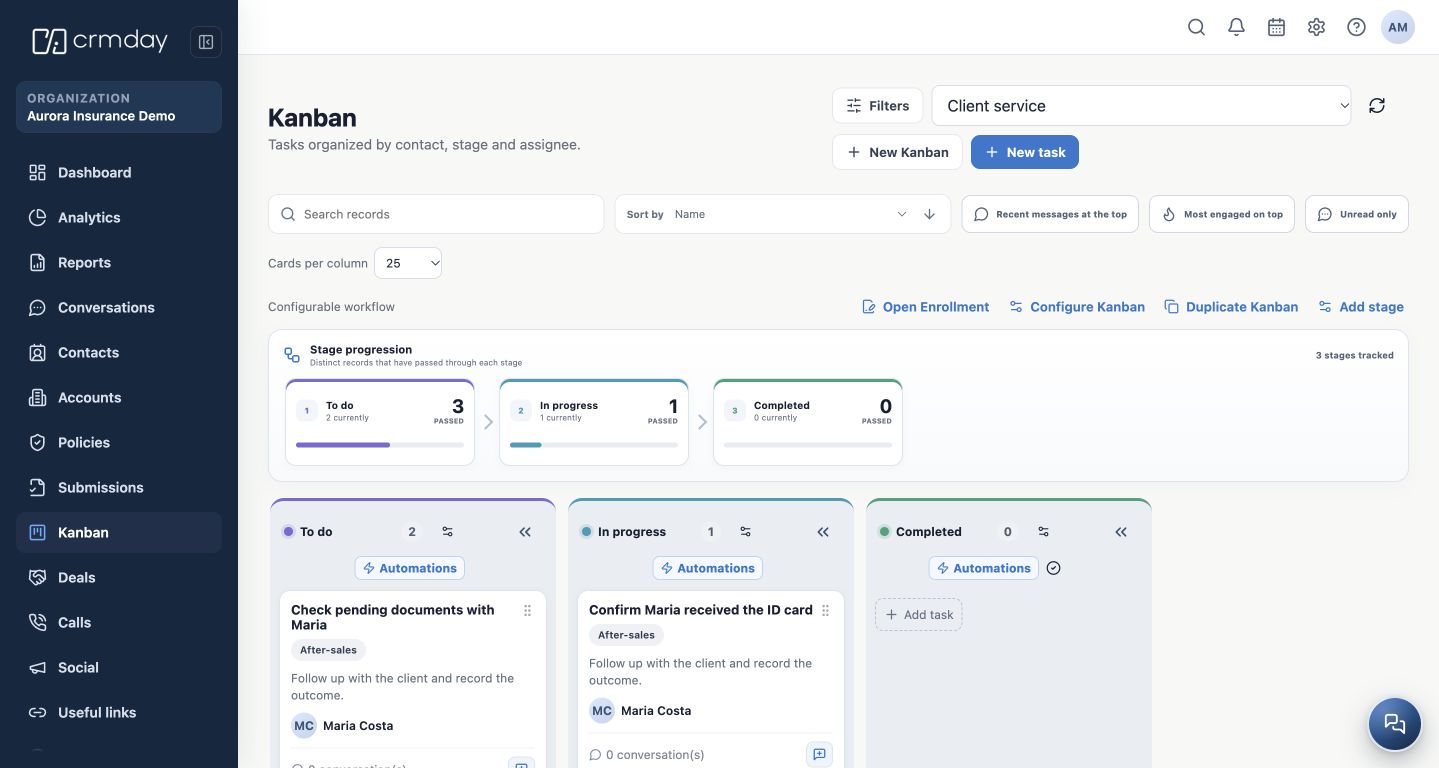
Use a Task when the request does not end in the conversation: confirm receipt of the ID card, follow up on documents or respond on an agreed date. Set a clear description, owner and deadline, and link the necessary records.
The example Kanban separates To do, In progress and Completed. It was prepared for this demonstration; these stages and tasks are not automatically present in every agency.
Update the task and record the service outcome. Closing a conversation does not mean that all tasks or policy requirements have been resolved.
Prepare for the client’s next need
During the relationship, follow recurring questions, changes reported by the client and approaching renewal dates. A new need may lead to another Deal while preserving the person’s record and history.
The path connects again: serve → understand the need → organize the next action.
What comes next in the manual
The next planned section, Find and organize your clients, will explain how to locate, review and maintain contacts. Specific guides will then expand on Conversations, Deals, quotes, policies and tasks.
To review your environment setup, see module 1 — Start here. To revisit the complete path, return to journey map.
What you should understand
You know where to review context, record a request and follow up without losing the client’s history.