For: CRMDAY One users with the Insurance profile.
Open your operational overview
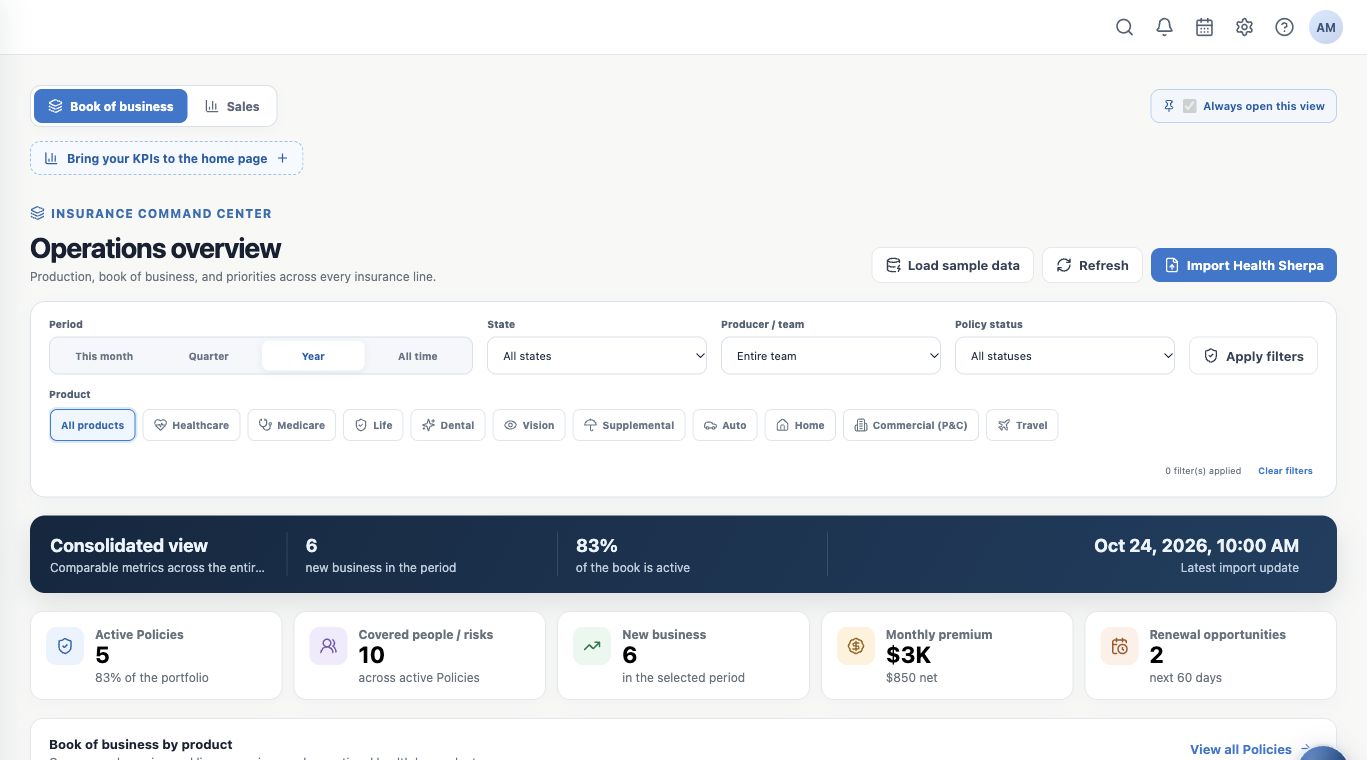
Open Dashboard from the menu. In Insurance, Book of business and Sales answer different questions: which clients need attention and how leads and opportunities are progressing.
The fictitious Aurora Insurance Demo portfolio has six policies, five active, two approaching renewal and one with a pending document. Your agency will have its own figures.
Check context before numbers
- Confirm the active organization in the account menu.
- Check the selected view, period, product and other filters.
- In Book of business, use Refresh to query the available data again.
- Check the last import time when shown. Refreshing the screen does not itself run a new carrier import.
Choose three starting priorities
| Priority | Next action |
|---|---|
| Pending document | Open the policy, identify the client and check what is missing. |
| Upcoming renewal | Review coverage and schedule follow-up. |
| Lead or opportunity without progress | Check history, assign the next action and set a deadline. |
An indicator points to something to investigate. Check the record and history before answering the client.
Use operational priorities
Book of business alerts may flag renewal, processing or pending DMI, depending on available data. Operational priorities contains individual records you can open.
In the example, Maria has a pending document, Bruno needs a renewal review and Elena is processing. One policy can require several actions; do not add alerts as if they always represented different people.

Record the follow-up
Create a Task with assignee, deadline and linked contact. For example, “Request Maria’s proof of address”, in Waiting for client. Review the document when received and update the activity.
Also check conversations and the calendar icon according to access. Dashboard helps prioritize; Tasks, the calendar and history organize execution.
Set your starting view
If your work centers on new opportunities, select Sales and choose Always open this view. This is your user preference; the system default is Book of business.
You should finish this review knowing which records to open, who will handle each action and where to track it. Continue with Book of business and Sales.
Keep learning
- Use Book of business and Sales views
- Open clients and policies behind indicators
- Consult Analytics and Reports available to you
- Check why a record or feature is missing
- Organize activities and processes with Kanban
- Serve your clients
Updated October 24, 2026.