For Insurance agency Owners and administrators.
Guides in this chapter
- Enable modules and verify they work
- Disable and re-enable modules without losing continuity
- Connect modules, permissions and other customization settings
- Troubleshoot unavailable modules and validate changes
Where to find it and who uses it
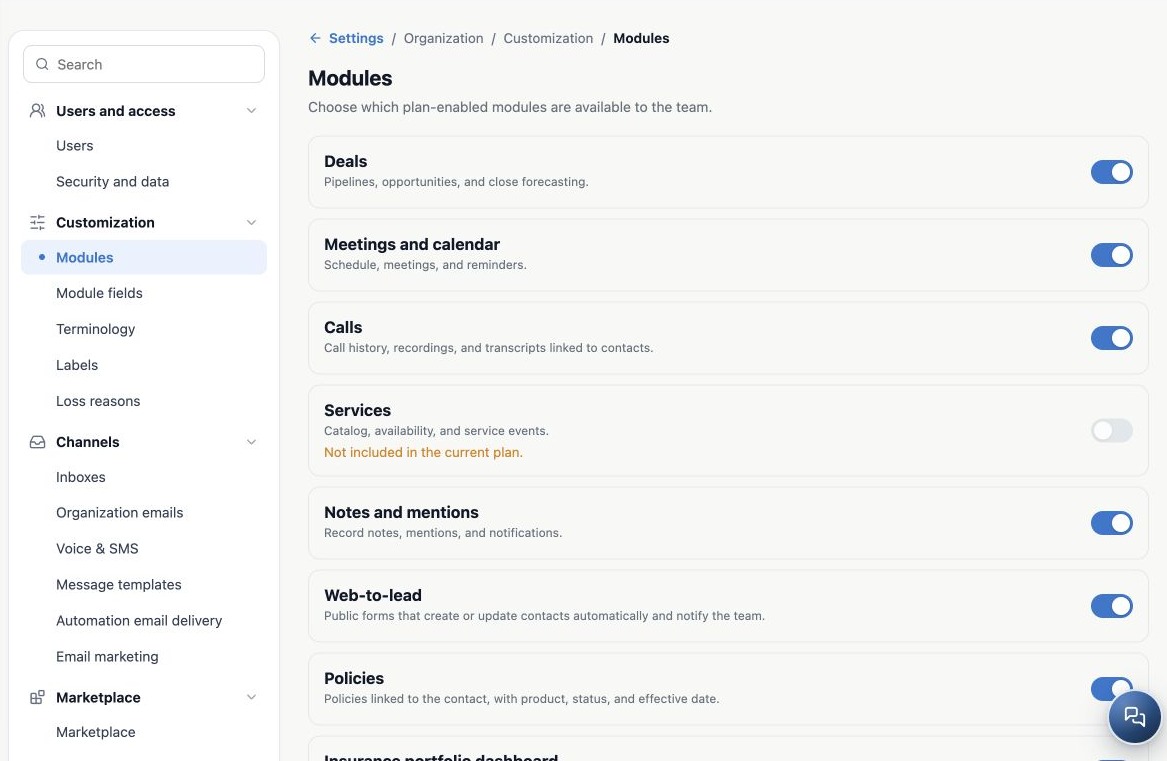
Go to Administration → Settings → Customization → Modules. Organization Owners and administrators use this area to enable or disable modules for the team, according to the catalog and subscription. Check the agency name first: the choice applies to the organization, not just your screen.
Subscription, enabled module and permissions are different decisions
| Layer | Question it answers |
|---|---|
| Plan and subscription | Is the agency entitled to use the resource? |
| Modules | Is the granted resource enabled for the organization? |
| Permissions and access | Which people may take actions, and on which records? |
An enabled switch does not grant administrative access or let everyone export the book. A permission profile also cannot activate a disabled or uncontracted module. Use the profiles and permissions guide for user-specific decisions.
Read the catalog before making changes
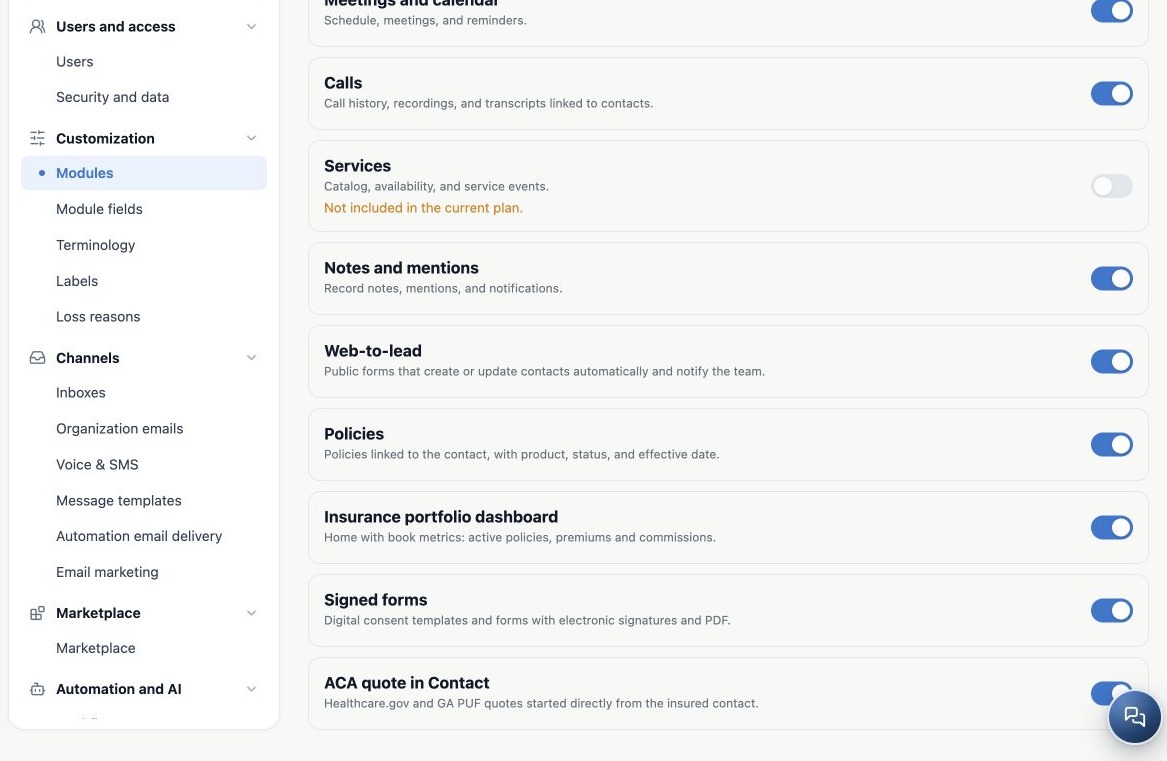
- Each item has a name, description and switch. The description identifies the resource even when it has no dedicated menu item.
- On means enabled. Off means the module has been removed from operations or was not granted.
- Not included in the current plan identifies an item this switch cannot activate.
- The catalog may change with the platform’s offering. Some resources have no agency-controlled switch and do not appear here.
Plan around the agency’s work
| Need | Modules to check |
|---|---|
| Track opportunities | Deals. |
| Manage appointments | Meetings and calendar; Services when using service scheduling. |
| Review call history | Calls, plus the corresponding channel setup. |
| Work with the insurance book | Policies and the available Insurance resources. |
| Collaborate and capture contacts | Notes and mentions; Web-to-lead when using public forms. |
These examples help locate resources; they do not promise that every item is in your contract. Start with your process: capture, opportunity, quote, policy and service. List the modules used at each step and validate before removing one.
Related guides
- Enable modules and verify they work
- Troubleshoot unavailable modules and validate changes
- Administrator manual
Updated October 25, 2026.