For Insurance agency Owners and administrators.
Understand Sending rules
In Channels → Inboxes, click Sending rules on a WhatsApp or SMS card. Rules cover templates routed through the automation, campaign and bulk-action queue. Manual messages are not affected. Covered sends share that inbox’s capacity; it is not a separate allowance for every campaign or user.
For a QR Code inbox, explicitly set a daily cap, schedule and interval before using automated features. This organizes operational load. It does not authorize unofficial use or prevent Meta from restricting the number. There is no universal “ban-safe” message count.
Adjust the controls and save
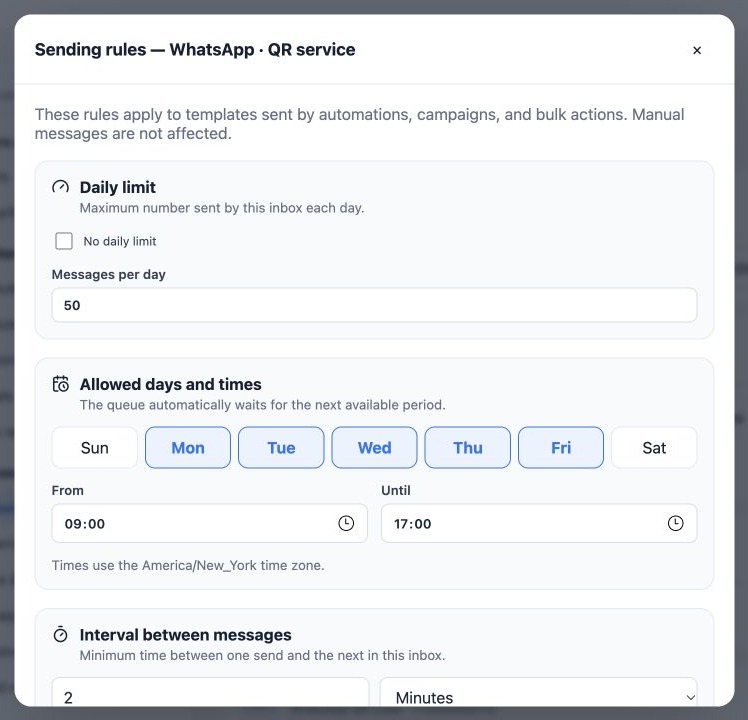
- Clear No daily limit to enter Messages per day. Selecting it removes only CRMDAY’s local cap, not channel limits.
- Select allowed days, keeping at least one.
- Set From and Until with the end after the start. Check the displayed time zone; it belongs to the organization.
- Enter an interval value and select Seconds or Minutes. This is a minimum interval, not a delivery-speed guarantee.
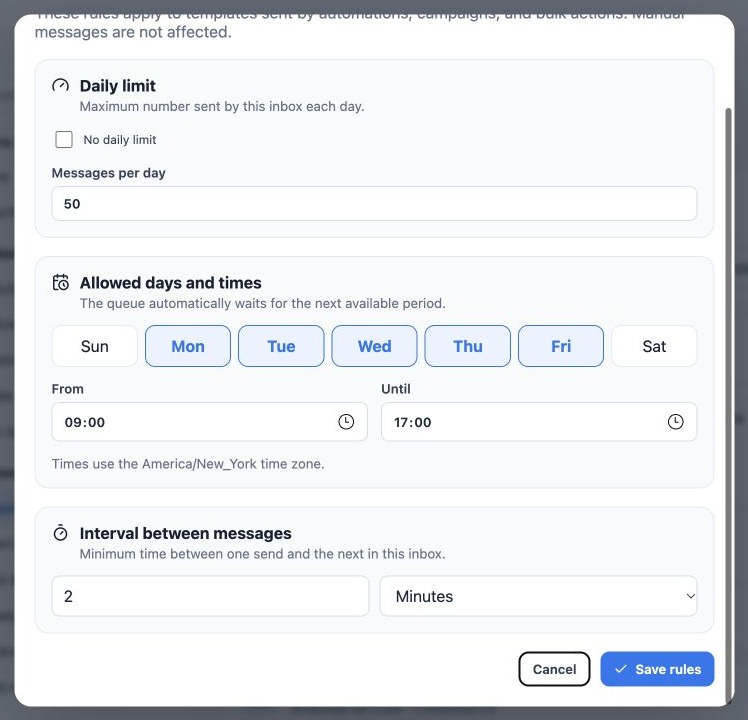
- Click Save rules, reopen and verify values before preparing recipients.
The capture uses 50 per day, Monday–Friday, 09:00–17:00 and a 2-minute interval solely to illustrate the controls. These are not volume recommendations or Meta-approved values and do not make unofficial API campaigns safe or permitted.
Check the queue before sending again
When the cap is reached, the interval is pending or the allowed window is closed, the queue waits for its next sending opportunity. Existing reservations and other inbox messages can delay the next send. Check the Delivery center and campaign or automation details to distinguish waiting, sending, sent and failed.
Do not create another campaign just because items are waiting. Before repeating an uncertain delivery, check the conversation and channel outcome to avoid duplicates. Canceling pending items cannot retrieve messages already accepted by the provider. Rule changes can affect waiting items’ schedule; review the queue after saving.
Local and Meta rules apply together
Meta API also applies template approval/status, language, service-window and account conditions. Remaining CRMDAY daily capacity does not guarantee Meta acceptance. Send expected, authorized communications, honor requests to stop and review number quality. See the official Business Messaging Policy.
Related guides
- Understand inboxes and choose your channel
- Connect WhatsApp using a QR code
- Prepare the official WhatsApp Meta API connection
- Complete Meta signup: an illustrated walkthrough
- Verify Meta API and prepare templates
- Manage team, connection and authentication changes
- Administrator manual
Updated October 25, 2026.