Who this is for: Agency administrator; other users need authorization to use the sender
An organization sender is a shared mailbox, such as service@youragency.com. The administrator connects the mailbox and explicitly chooses who may use it.
Step by step
- Open Administration → Channels → Organization emails and click New organization email.
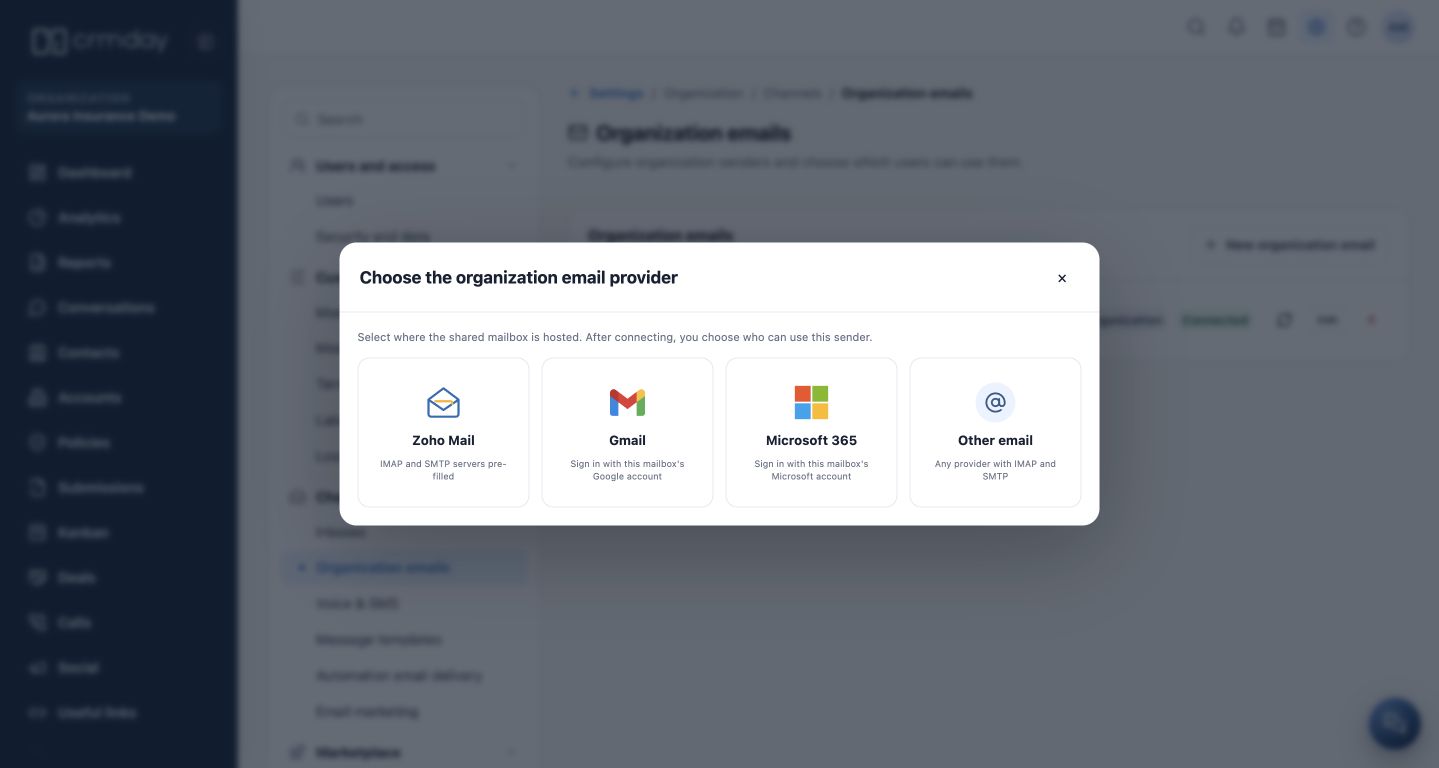
- Choose the provider hosting the shared mailbox. If Google or Microsoft sign-in is offered, use the account for the mailbox the agency intends to connect.
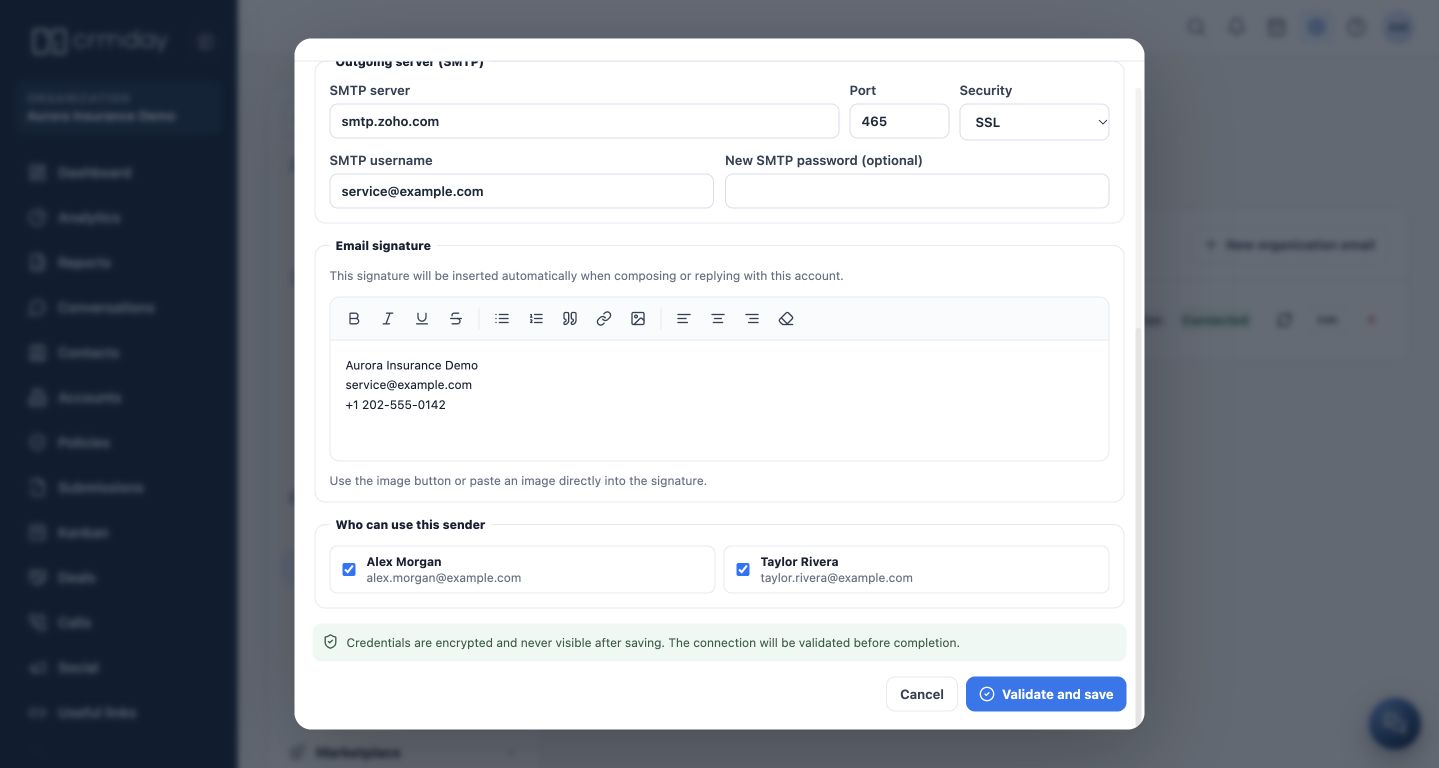
- For manual setup, check display name, address, IMAP/SMTP servers, security and provider credentials. Use Edit for an existing connection.
- Prepare the agency signature. Under Who can use this sender, select only the users authorized to send from this mailbox.
- Click Validate and save, then check the account card and authorized users.
- Ask users to check the sender field when composing CRM emails. If the shared mailbox is missing, review their authorization with the administrator.
Personal or shared?
The personal mailbox identifies the professional. The organization mailbox identifies the operation and supports continuity by the authorized team. In the screenshot, service@example.com is the fictitious sender and Alex Morgan and Taylor Rivera are authorized.
Entering an email in the agency details does not configure this connection automatically. A shared mailbox also does not replace the specific settings for email marketing or automation delivery.
How to check you are ready
The correct sender is connected and only the intended people may use it.