Who this is for: Agency administrator or person responsible for agency setup
Agency details are used by forms containing agency merge fields. This is shared configuration, so coordinate the review with the person who administers the operation.
Step by step
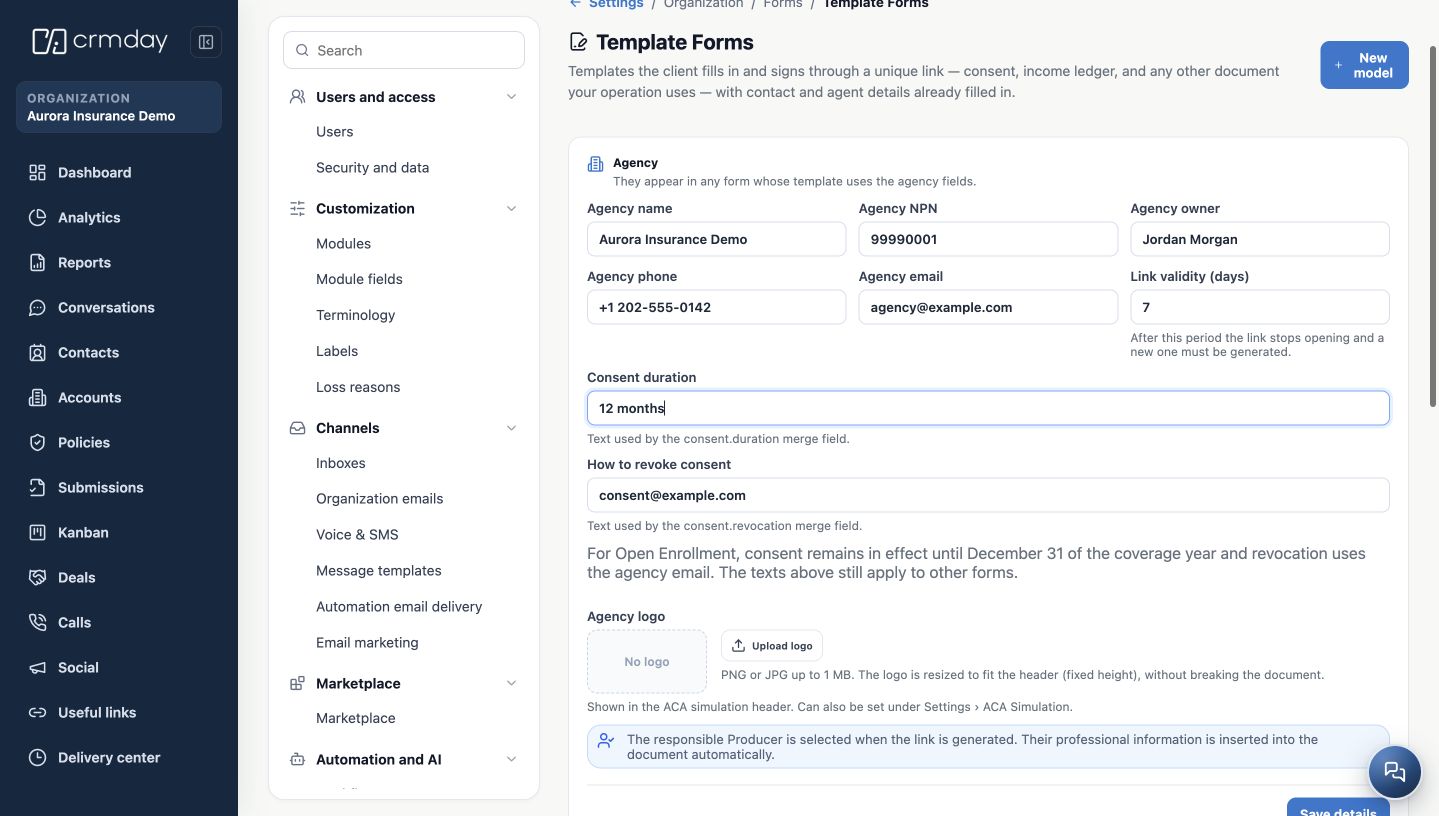
- Open Administration → Forms → Template Forms. If Administration is not available to you, send this chapter to your administrator.
- In Agency, check the name, agency NPN, owner, phone and email. Use your agency’s approved institutional information.
- Check Link validity (days). This determines how long a client can open a link issued for signature.
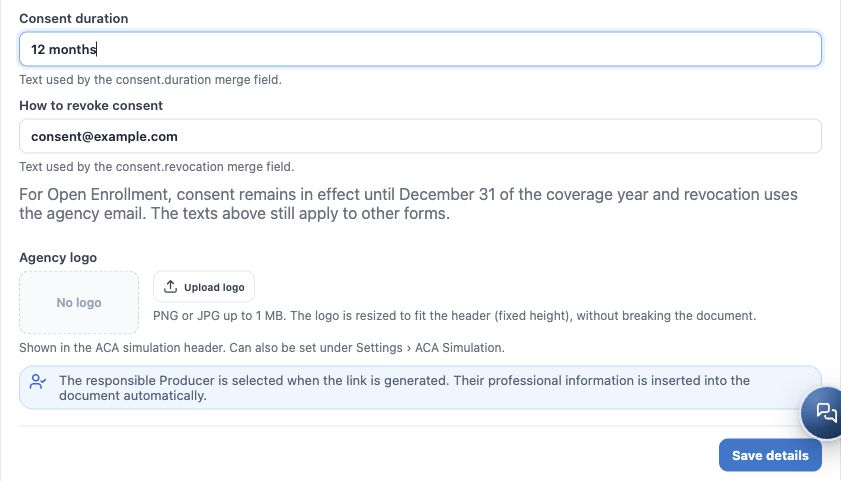
- Review Consent duration and How to revoke consent, used by templates that include those fields. These texts are different from the technical expiration of a link.
- If needed, upload the agency logo using the file type and size supported by the screen. Also review its appearance in the ACA simulation when that feature is used.
- Click Save details. Reopen the page and check the values before issuing documents.
Two important distinctions
- Entering an agency email here does not connect a mailbox. Configure the shared sender under Organization emails.
- Open Enrollment has its own treatment of consent duration and revocation. Check the notice displayed on the screen and the template preview instead of assuming all forms use the same period.
Aurora Insurance Demo and its information are fictitious. The agency record does not replace each Producer’s personal setup.
How to check you are ready
Forms can use the correct agency identity, with reviewed phone, email and time limits.