For Insurance agency Owners and administrators.
Guides in this chapter
What this page is for
Open Administration → Settings → Channels → Automation email delivery, or /settings/automation-email, to understand how automatic emails can leave CRMDAY One. It presents two delivery paths and links to their setup pages.
This page does not save a global preference. There is no agency-wide selection or Save button. Prepare the mailbox or email marketing through the links, then choose the method inside each Kanban or Deals automation. Open Enrollment automations offer the same choice when their channel is email.
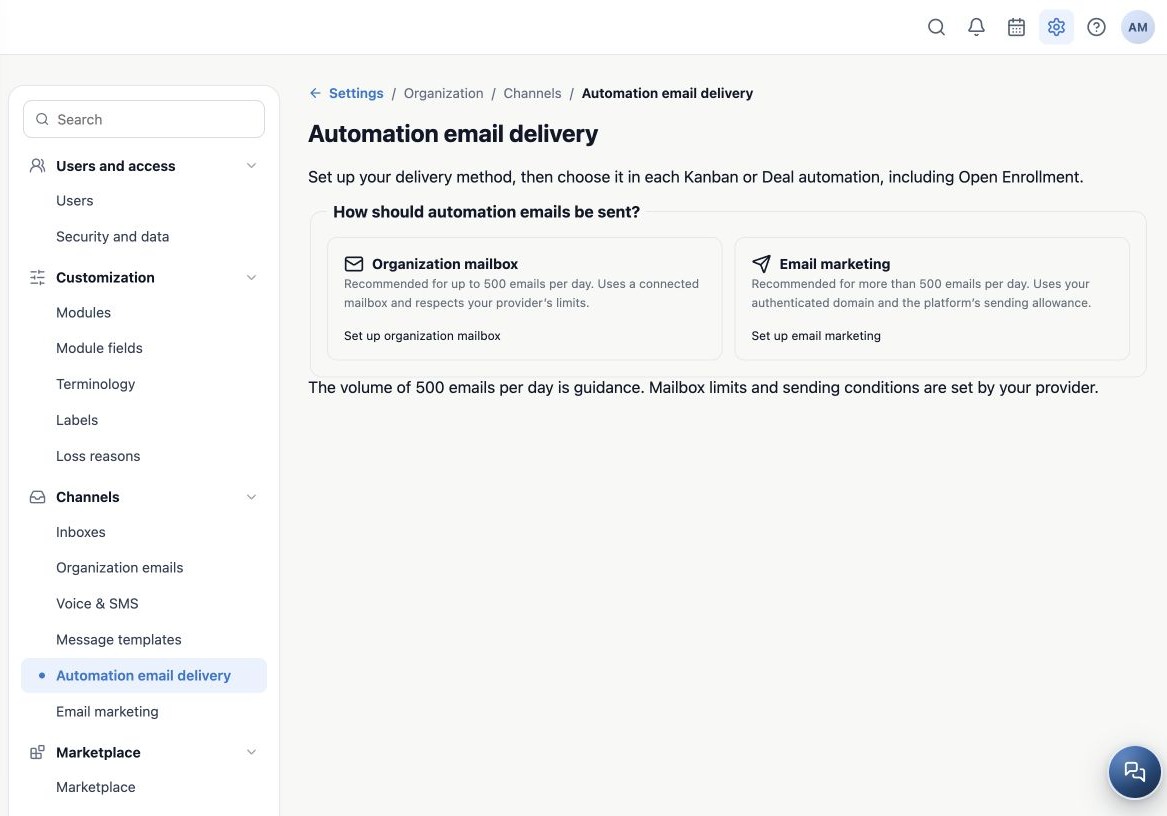
Compare the two paths
| Method | Preparation | Usage and limits |
|---|---|---|
| Organization mailbox | Connect an agency mailbox at /settings/email. | Uses the connected account and provider limits. Does not consume email marketing allowance; replies arrive in that mailbox. |
| Email marketing | Authenticate the sender’s exact domain and prepare its identity at /settings/email-marketing. | Uses the platform service and shared monthly organization allowance. Requires enabled sending, a ready domain, no pause and balance for the selected purpose. |
The screen recommends a mailbox for up to 500 emails/day and email marketing above that volume. This is selection guidance, not a guaranteed allowance or permission to send 500 messages. Mailbox limits may be lower. Reaching that number does not automatically switch delivery methods.
Plan an agency example
Aurora Insurance organizes documents in Kanban. When a Task enters Waiting for client, it can trigger an operational update through the connected service mailbox. A commercial renewal outreach sequence can use email marketing with an authorized audience and available allowance. Each action keeps its own configuration.
Delivery method and purpose are separate choices: an offer remains marketing even when stage-triggered. Operational purpose describes a real update to an ongoing process; do not use it to bypass unsubscribe requests or campaign restrictions.
Prepare before activation
- Check the active agency and your configuration access.
- Open Set up organization mailbox and connect it, or Set up email marketing to prepare domain and sender.
- Prepare a template in the client’s language and review its subject and content.
- Return to the Kanban or Deals stage and configure the action using the next guide.
A personal account does not replace the organization sender in this form. A dedicated campaign identity is not a connected mailbox. For domain, sender and footer preparation, see Email marketing.
Related guides
- Configure delivery inside each automation
- Test, monitor and resolve delivery issues
- Administrator manual
Reviewed October 26, 2026.