In Maria’s journey, quoting helps review ACA plans. After plan selection and the applicable application steps, the policy record brings the coverage information together. A quote alone does not create or activate coverage.
Compare options in the contact’s context
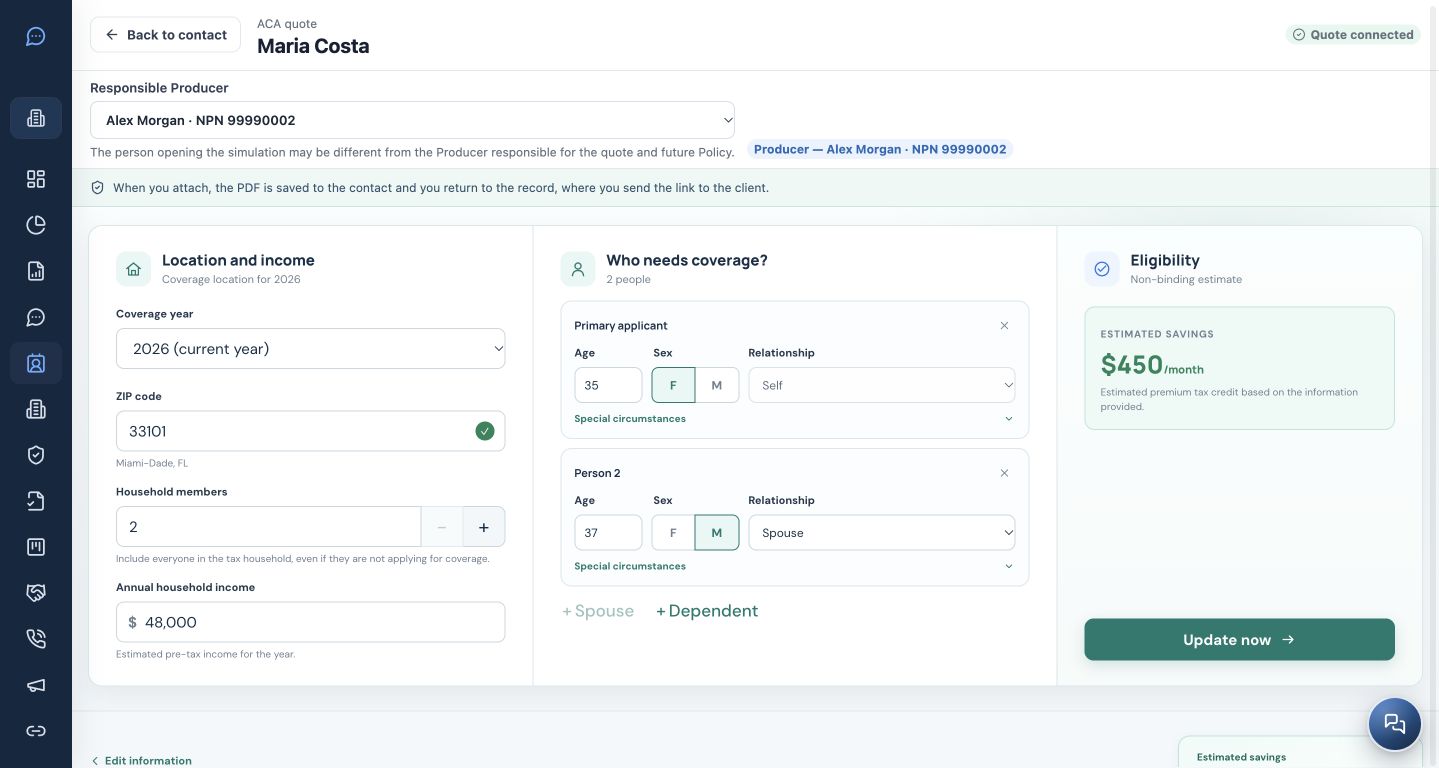
On Maria’s record, Quote ACA opens quoting linked to the contact. The responsible Producer may be different from the person operating the screen; select the correct professional.
Check the coverage year, ZIP/county, people needing coverage and income before comparing. Maria and her husband appear as two people in this example. Both the inputs and the illustrative results are fictitious.
Understand the result and discuss it with the client
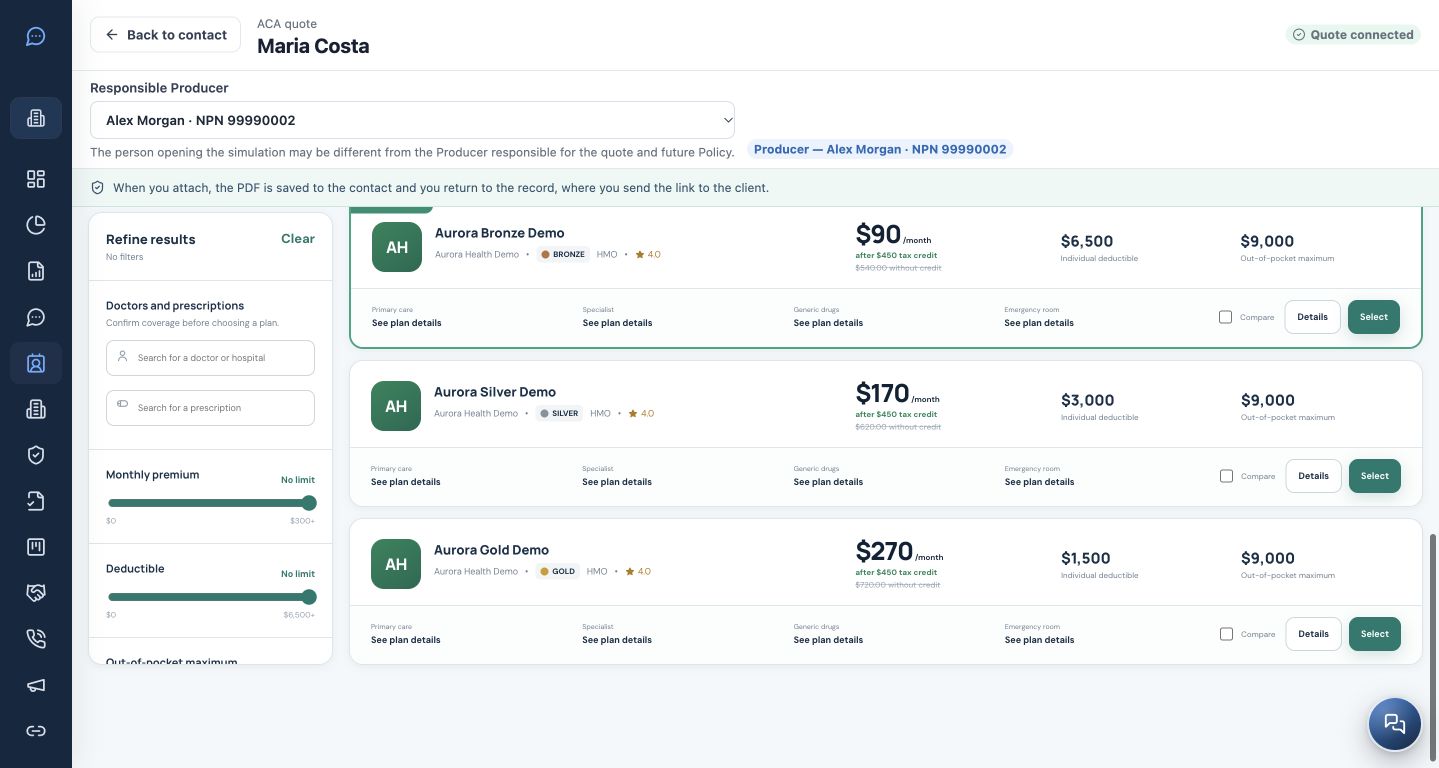
The quote presents options with monthly premium, deductible and out-of-pocket maximum. Use plan details and comparison to discuss the client’s needs; check provider networks and prescriptions when relevant to the review.
In the comparison flow, you can attach a PDF to the contact and return to the record to share it. The prices and tax credit in these images only explain the interface; they are not an offer or a valid calculation for another client.
Move from the review to the policy
The New policy wizard can start from the contact record. The ACA path offers live quoting or recording a previous quote. Check the client, Producer, plan, effective date and remaining details before confirming.
Preserve the link to the originating Deal when applicable. Recording a policy in the CRM does not replace the application, submission and confirmation steps required by the agency’s and insurer’s processes.
Track the actual coverage status
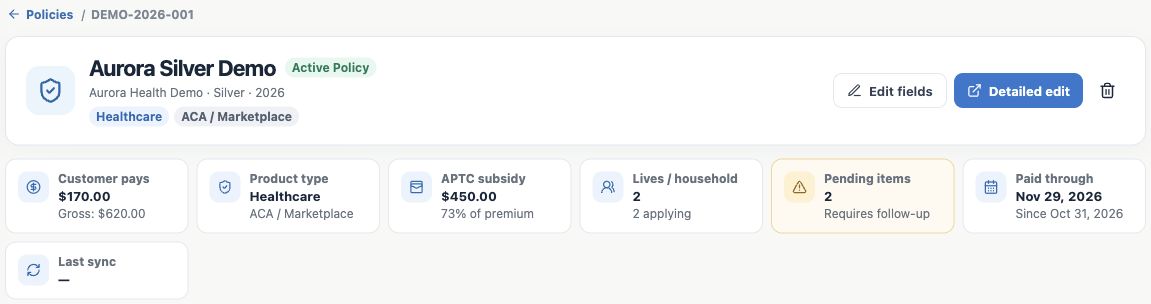
The policy record brings together the plan, insurer, amounts, status and outstanding items. The example shows the summary of an active demonstration policy.
A won Deal and an active policy are different facts. A policy may still be processing. Check its actual status and outstanding items before telling the client their coverage is ready.
Next: guide the client and organize after-sales follow-up.
What you should understand
You distinguish simulation, selection, recording and policy status while keeping the links to the contact and the opportunity.