Who this is for: Each user configures their own profile
Personal preferences control how you see the system. Set them before working with dates, meetings and deadlines.
Step by step
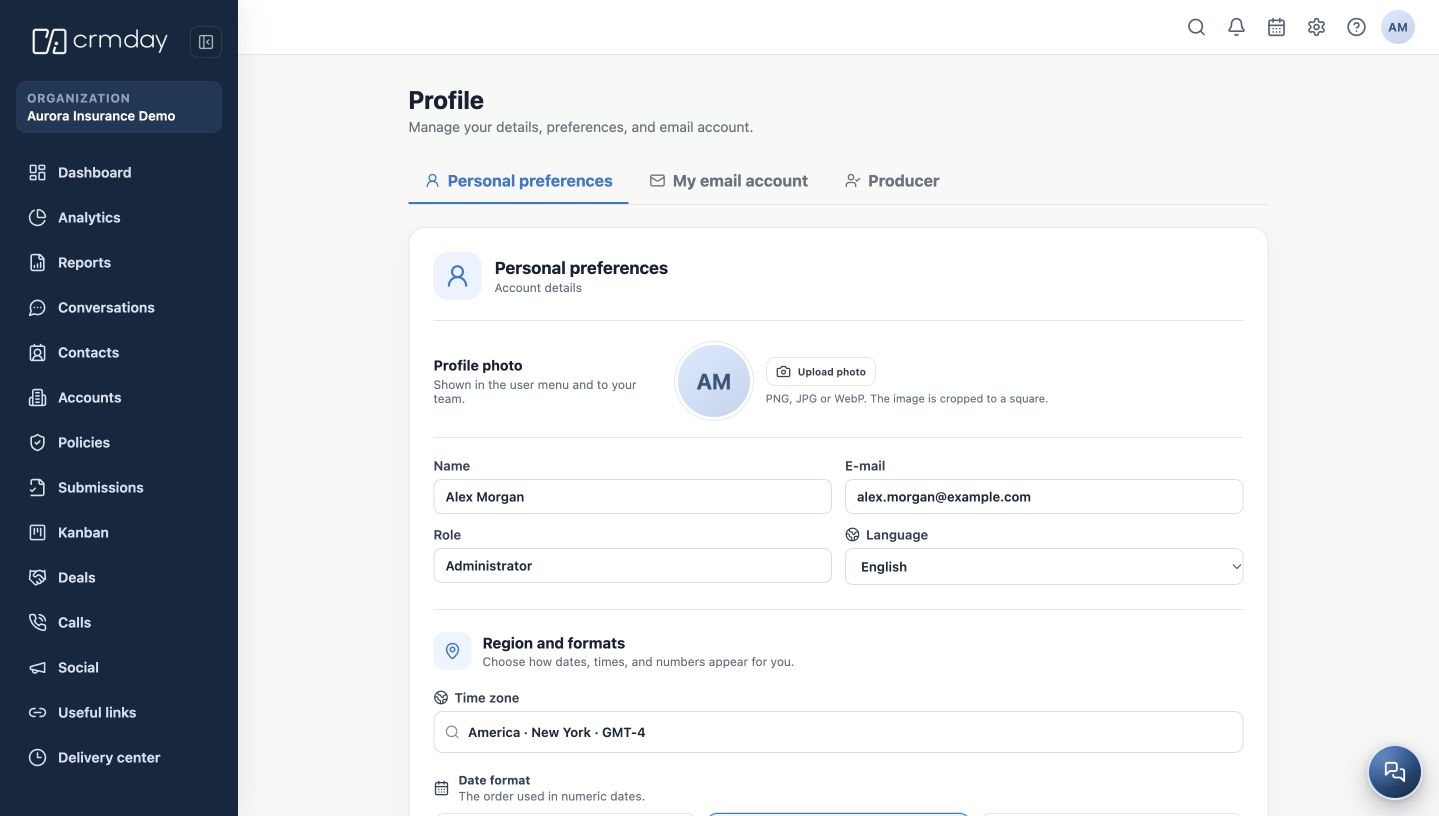
- Open User menu in the upper right and choose Edit profile. This opens the Profile page.
- In Personal preferences, check your name. You may upload a profile photo to help your team recognize you.
- Under Language, choose Portuguese (Brazil), English or Spanish.
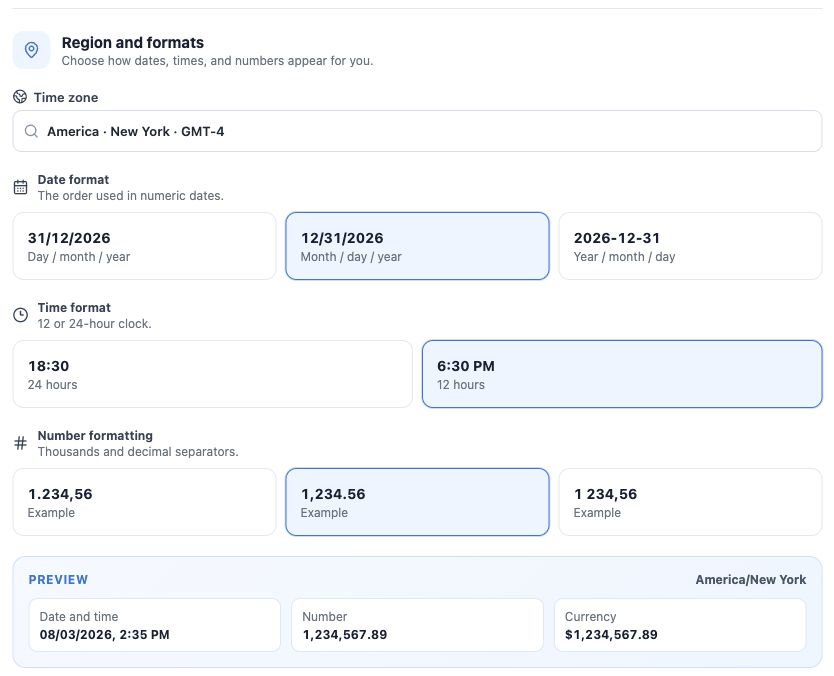
- Under Region and formats, select your working time zone and your date, time and number formats. Review the preview to confirm the result.
- Click Save changes. Reopen your profile to confirm the saved values.
What does the language preference change?
It changes interface text. It does not translate client names, notes, messages or the content of your form templates. Check the language of a document for the client in the template itself.
Your sign-in email and role are displayed for reference. Connecting your mailbox is a separate step in My email account, covered in another chapter.
How to check you are ready
Your name, language, time zone and formats are correct, and you recognize how dates such as 03/08 and 08/03 are displayed.