For: CRMDAY One users with the Insurance profile.
Save and reopen
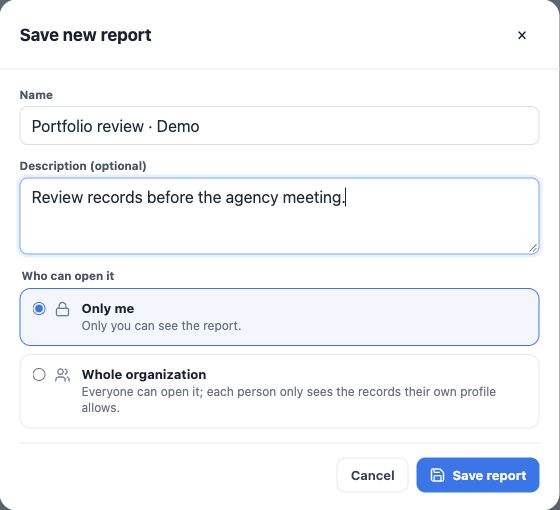
- After reviewing the preview, click Save.
- Enter name and description, such as Pending documents — active policies, documenting criteria.
- Choose Only me or Whole organization.
- Click Save report.
- Return to the list, reopen and check columns, filters, total and access.
Saving stores the query, not a frozen dataset. Results can change with data and the viewer’s access.
Share with the correct audience
Whole organization shares the definition. Each viewer still sees only authorized fields and records, so colleagues may obtain different totals. The creator or an administrator may edit when allowed.
Private reports belong to their creator. Sharing does not automatically grant export permission. Explain the scope in the description.
Edit or save a variation
- Open the saved report and choose Edit.
- Adjust fields, groups, metrics or filters and inspect the preview.
- Click Save.
- Choose Save changes to update it or Save as new to preserve the original.
- Reopen the intended version and check results.
A saved report’s module cannot change; create another report for a different module. For concurrent-edit conflicts, reload the recent version before applying changes again.
Duplicate a useful starting point
- Open a report answering a similar question.
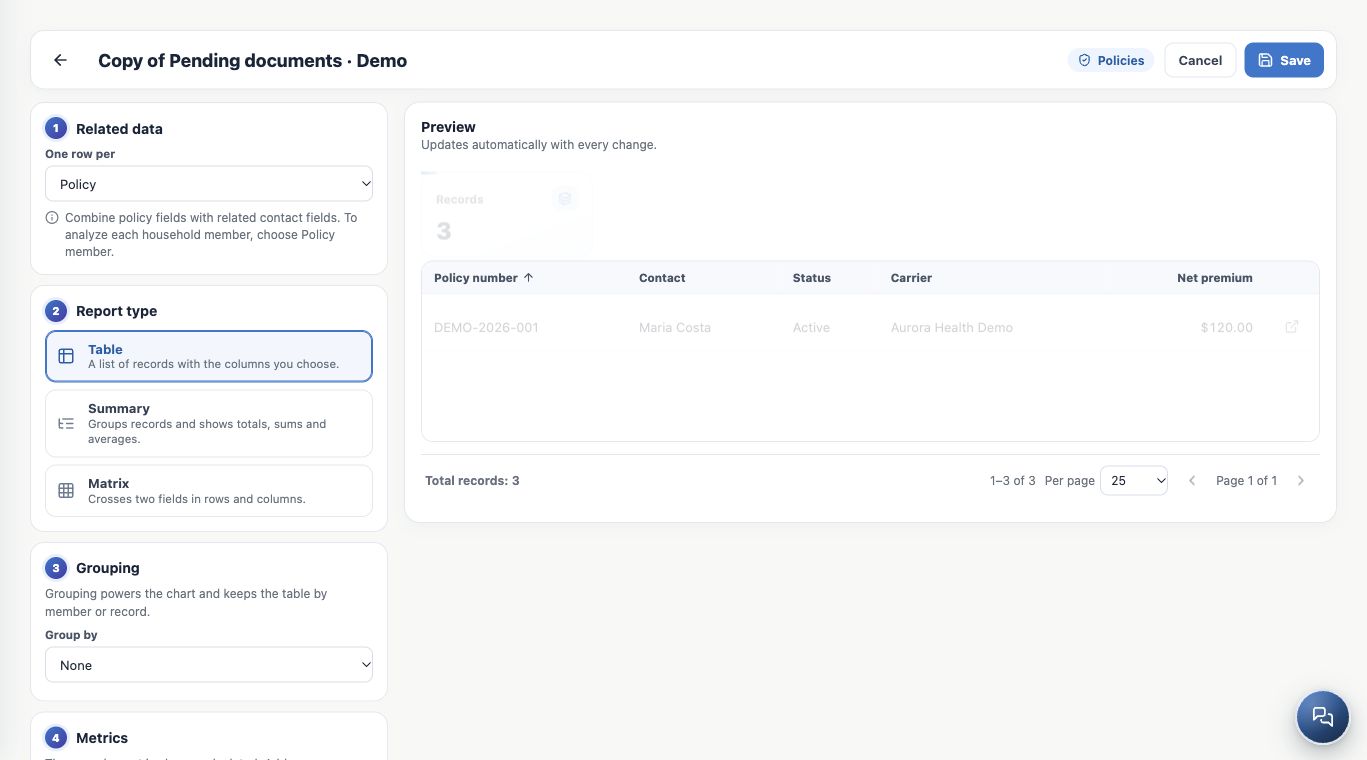
- Click Duplicate: a private copy is created and opens in the editor.
- Change its name, description and criteria.
- Review and save; the original remains.
The copy starts from the saved definition. Temporary viewer filters should not be treated as saved changes to that definition.
Refresh and organize
Refresh reruns the query; it does not import carrier policies. Use names that identify unit, event and filters, such as Applications by month — Application date.
Delete report removes the definition, not client or policy records. Its confirmation warns that deletion cannot be undone. Edit or save a variation when the original remains useful.
Keep learning
- Find reports and choose how to analyze your agency
- Build a policy table with columns and filters
- Create summaries with totals, averages and monthly trends
- Cross dimensions in matrices and explore charts
- Use related contacts and analyze policy members
- Export reports and resolve unexpected results
- Build KPIs and dashboards in Analytics
- Stay on top of your day
Updated October 25, 2026.