For Insurance agency Owners and administrators.
Build an SMS template
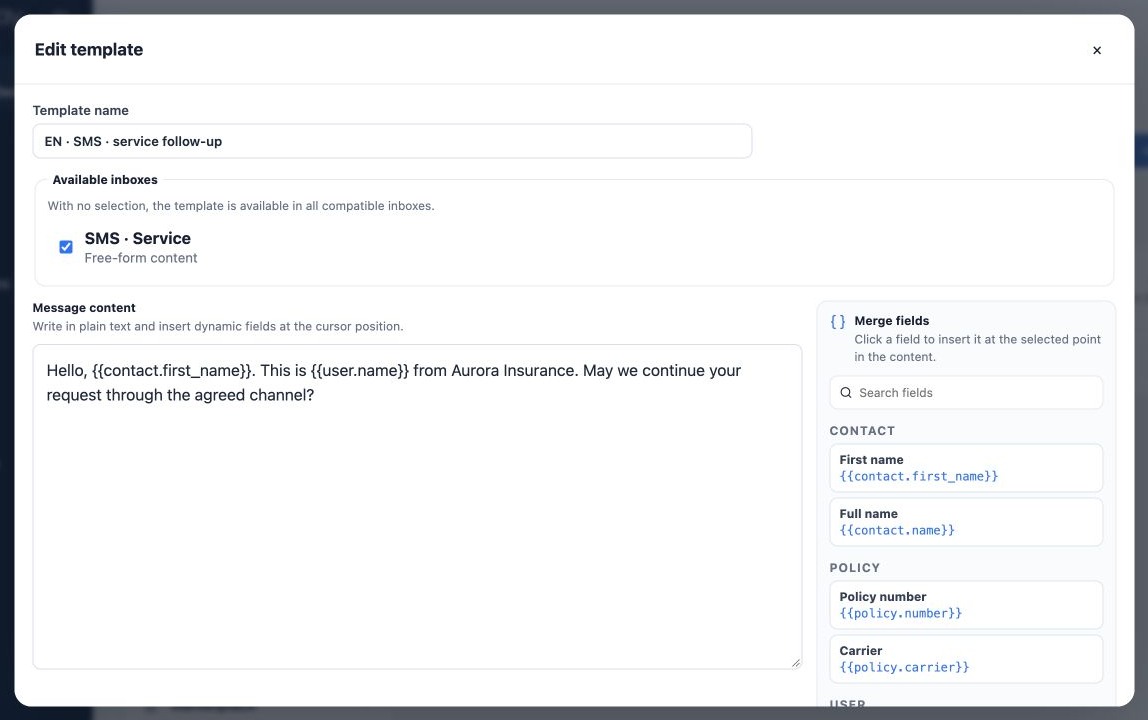
- On SMS, click New template.
- Fill Template name with language and purpose.
- Under Available inboxes, select the intended SMS inbox.
- Write Message content and insert merge fields from the side panel.
- Click Save template and reopen to check name, text and inbox association.
Example: Hello, {{contact.first_name}}. This is {{user.name}} from Aurora Insurance. May we continue your request through the agreed channel? It identifies the sender and proposes a clear action without exposing policy details.
Control where the model is available
The inbox list is channel-specific: SMS shows SMS inboxes and WhatsApp shows WhatsApp inboxes. Without a selection, the template is available to all compatible inboxes. Select inboxes explicitly to restrict use to an intended team or number.
Association controls model compatibility; it does not grant a user inbox access. Team access and a connected channel remain necessary. Review unrestricted models when adding an inbox, particularly when mixing QR Code and Meta API.
Prepare QR WhatsApp with free content
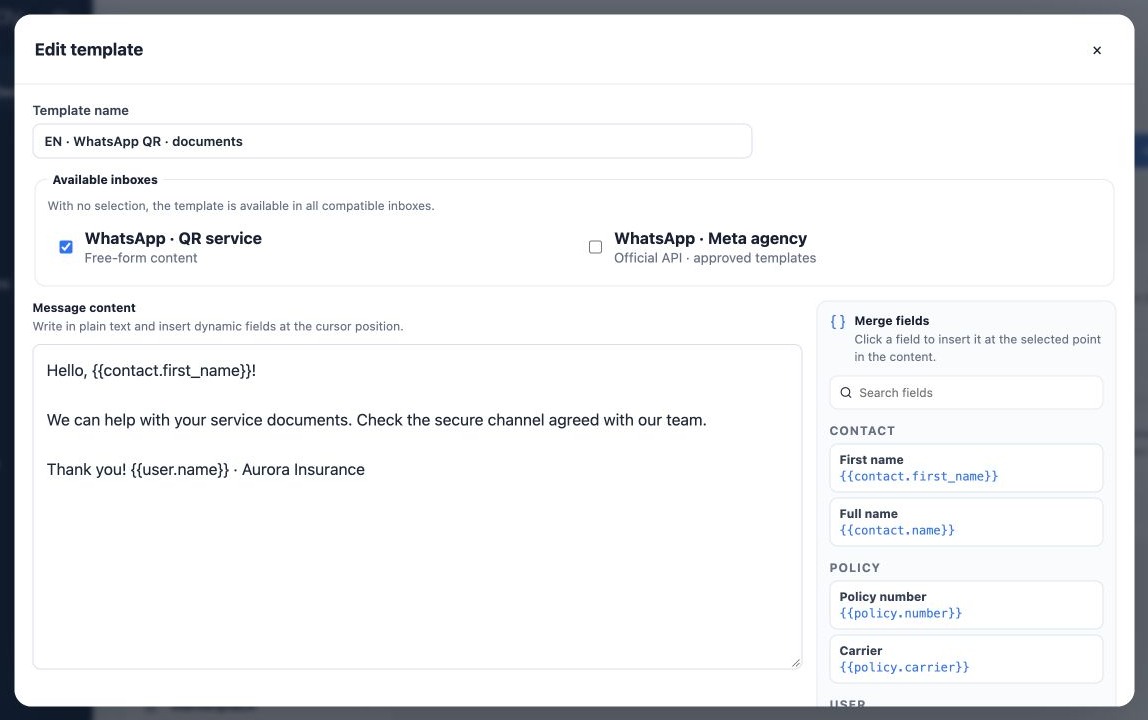
- Open WhatsApp and click New template or Duplicate.
- Select a Free content compatible inbox such as QR Code.
- Write short paragraphs, using Enter to separate guidance.
- Insert fields from the panel without changing their keys.
- Save and test through the selected inbox with an authorized fictitious contact.
The local model is not submitted to Meta for review. Selecting an official inbox switches the editor to Official Meta template and may clear free text. Keep separate QR Code and Meta API models. Free-content models do not bypass the official channel’s approved-template requirement.
Review length, context and limits
Keep SMS concise. Segment count and cost depend on provider and transmitted characters; the editor’s maximum size is not one SMS. For WhatsApp, check phone number and inbox and avoid repeating guidance across channels unnecessarily.
Contact, Policy, User and Form fields have values only when sending supplies that context. Writing {{form.link}} alone does not generate a form link. In automations, check policy selection when using {{policy.number}}; contacts may have several policies.
A template changes neither recipient authorization nor inbox sending limits or rules. For volume, review channel configuration and monitor Delivery Center. Run an individual test first; Save template does not perform that test.
Related guides
- Organize your agency’s message templates
- Create email templates with merge fields
- Prepare and associate official Meta templates
- Maintain versions, test and use templates
- Administrator manual
Reviewed October 26, 2026.