Who this is for: Administrators prepare templates; the team uses approved templates
You do not need to write every form from scratch. CRMDAY One provides an Insurance template library you can use as a starting point for your agency’s catalog.
Step by step
- Open Administration → Forms → Template Forms. Check the agency’s existing catalog first to avoid unnecessary copies.
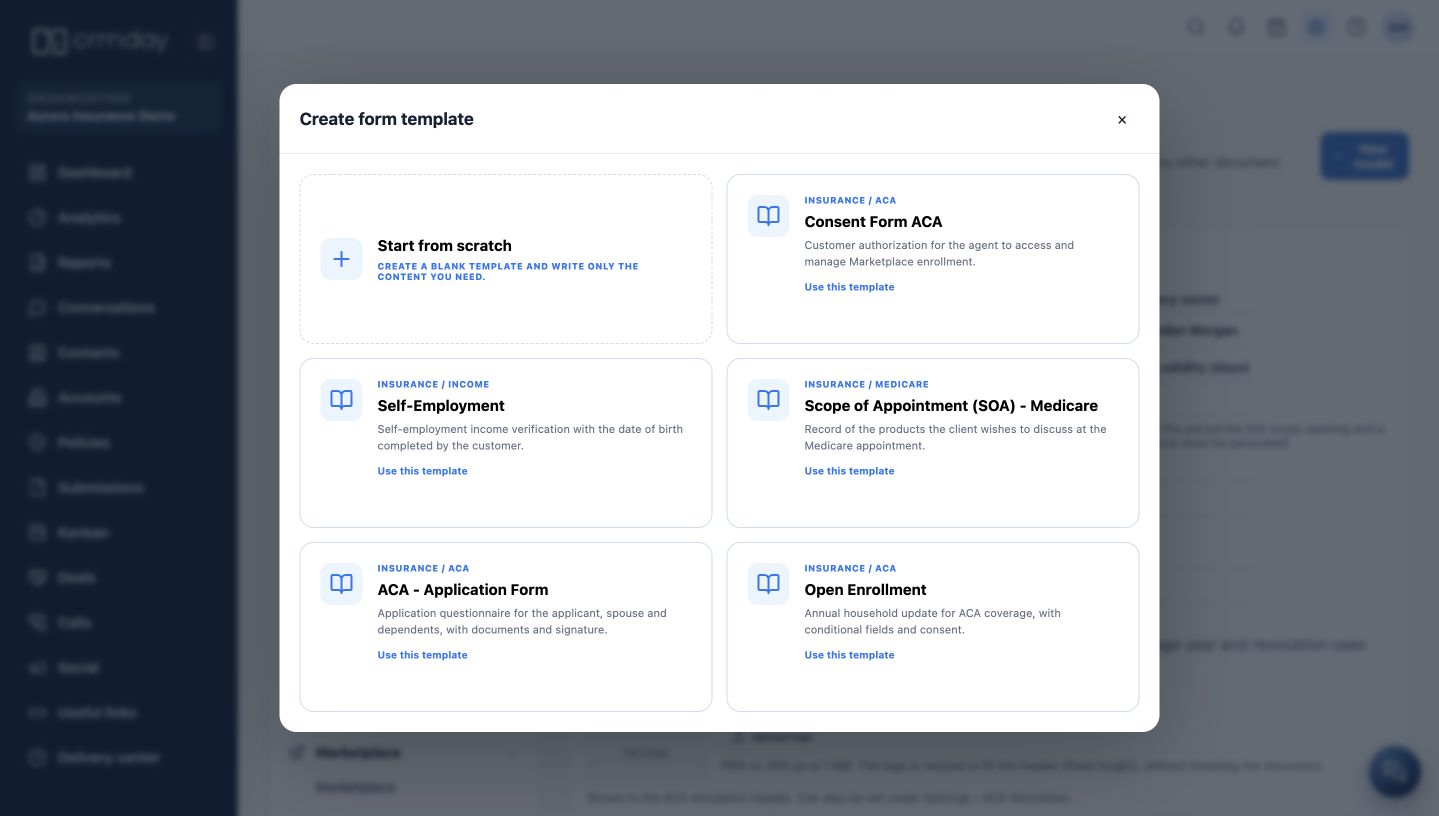
- Click New model. The window offers Start from scratch and the available library templates.
- Choose a template for the purpose you need and click Use this template. The system opens an editable copy; the original library is preserved.
- Check the name, language, title, fields and content before saving. Original template names may remain in English even when the interface uses another language.
- Click Save model after reviewing and confirm that the template appears in the agency list. Selecting a template alone does not send a document to a client.
What is available
| Template | Purpose in the system |
|---|---|
| Consent Form ACA | Record the client’s authorization for Marketplace-related assistance. |
| Self-Employment | Prepare a self-employment income document. |
| Scope of Appointment (SOA) - Medicare | Record the products the client wishes to discuss at a Medicare appointment. |
| ACA - Application Form | Request applicant, spouse and dependent information, documents and signature. |
| Open Enrollment | Collect the household’s annual update for the ACA coverage period. |
Choose the document according to your agency’s operation. This manual explains system use; the agency’s responsible staff approve the wording and intended use.
How to check you are ready
You found a suitable template and understand that it must be reviewed and saved in the agency catalog.