Who this is for: All users
Start by checking that you are signing into your own account and the correct agency. Then identify the shortcuts you will use every day.
Step by step
- Go to one.crmday.net. If you received an invitation, follow its instructions to complete your access. Use your own email and password.
- If email verification is required, open the message you received and complete verification. Use the resend option displayed by the system when necessary.
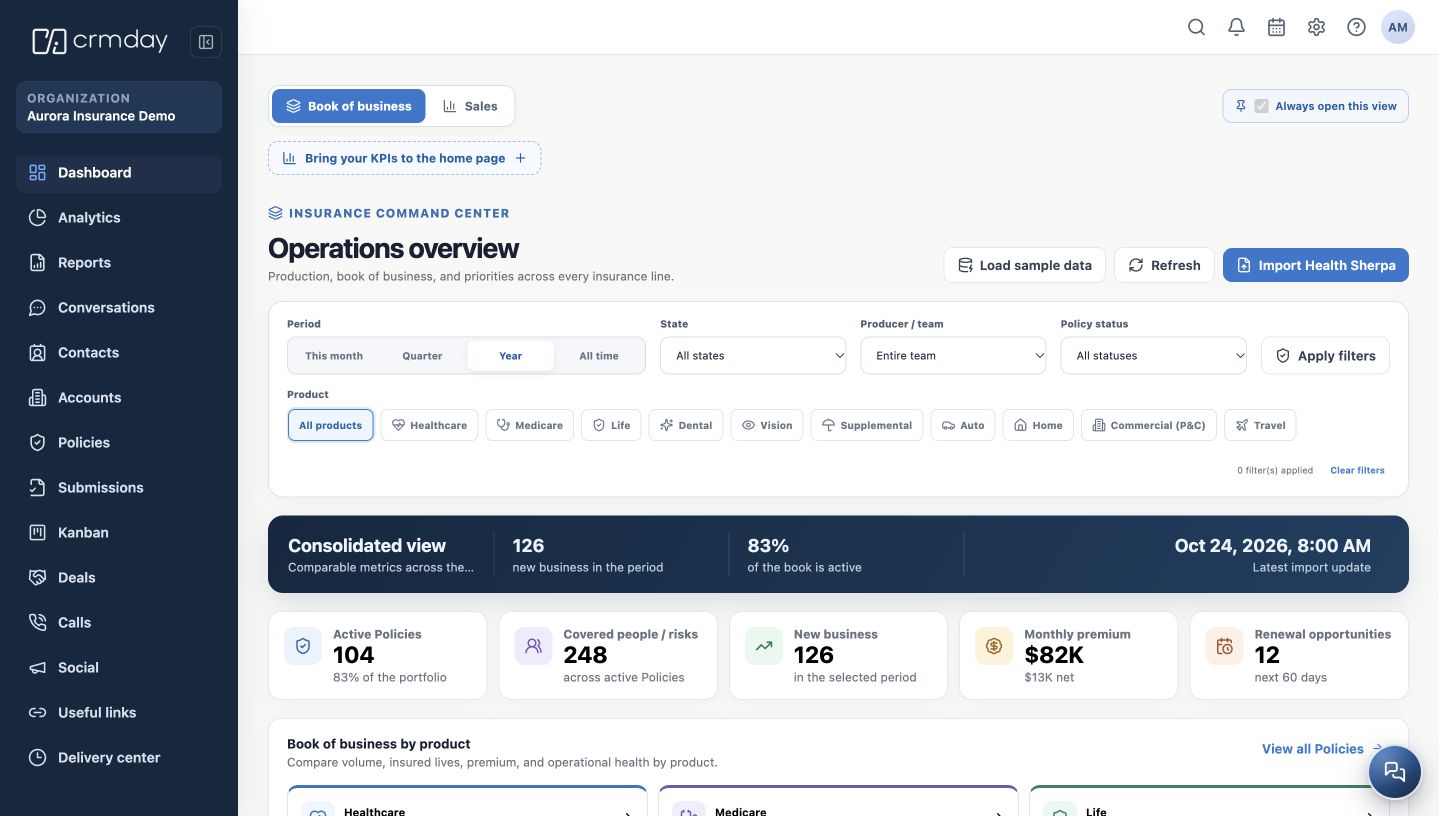
- Check the Organization name in the sidebar. If you belong to more than one agency, confirm which one is active before viewing or creating records.
- Locate Dashboard, Conversations, Contacts, Policies and Kanban in the side menu. Labels may vary with your language and the terminology selected by the agency.
- In the top bar, identify global search, notifications, calendar, help and the user menu. Administration is shown to users with administrative access.
Cannot sign in?
Use password recovery on the sign-in screen when needed. If you did not receive an invitation or cannot access the expected agency, contact your administrator. Do not create another account to work around an access problem.
The image shows the screen after sign-in, using a fictitious agency. Your account may show fewer menu options.
How to check you are ready
You are in the correct agency and know how to return to the Dashboard, open your profile and get help.