For Insurance agency Owners and administrators.
Guides in this chapter
- Create and apply record labels
- Configure conversation labels
- Edit, archive and maintain the label catalog
Open Labels under Customization
As an Owner or administrator, open Administration → Settings → Customization → Labels. Choose Record labels or Conversation labels before creating a label: the selected tab determines where it becomes available.
A label is a classification assigned to an item. A contact can have Documents pending and 2027 renewal at the same time. Colors help identify the topic, but the name and description should convey the meaning without relying on color.
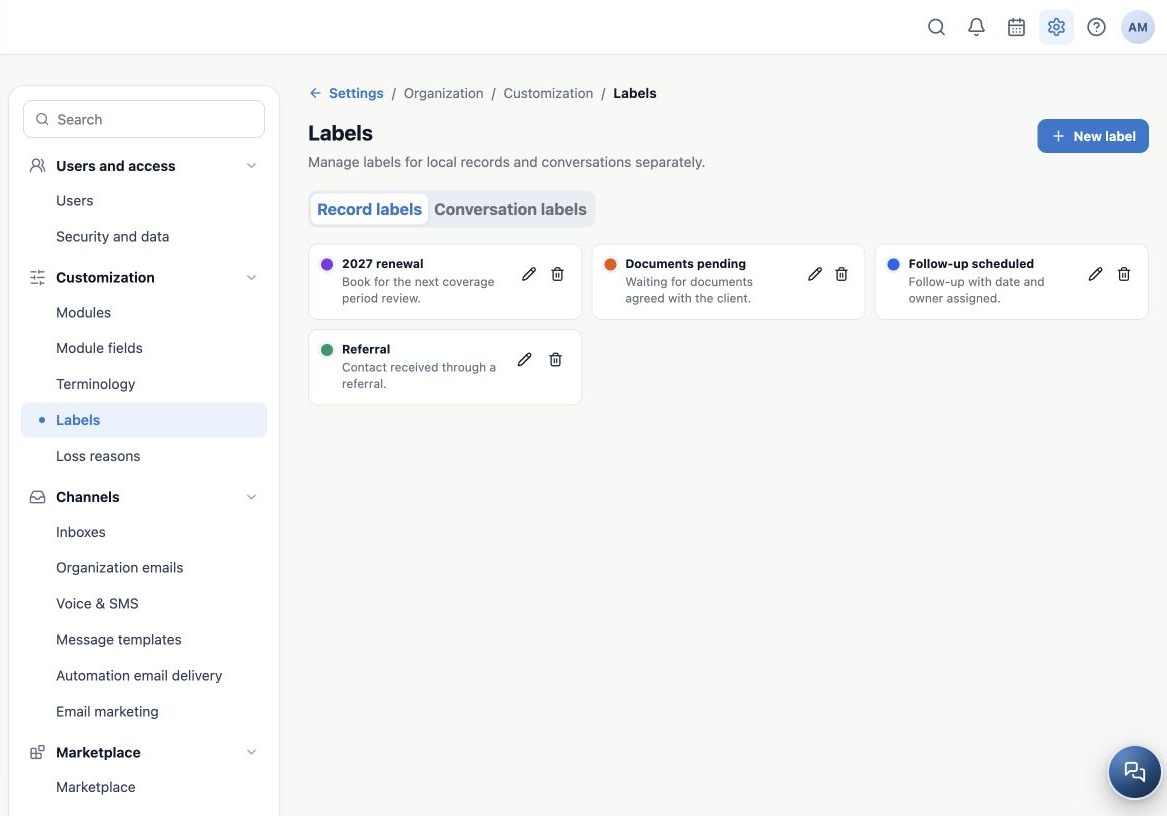
Two independent catalogs
| Catalog | What it classifies | What does not happen automatically |
|---|---|---|
| Record labels | Local records that offer a label selector, such as Contacts, Tasks and Deals. | Does not assign the same label to the client’s conversation. |
| Conversation labels | Service conversations in Conversations. | Does not change the contact, Deal or Kanban card labels. |
Identical names in the two tabs still represent independent labels. A conversation may concern documents while the contact has other commercial classifications. A Task label describes that activity; it does not automatically label the linked contact.
Define a usage rule for every label
| Fictitious example | When to apply | When to remove |
|---|---|---|
| Documents pending | A document agreed with the client is missing. | After receiving and checking the documents. |
| Follow-up scheduled | A next action has a date and an assigned owner. | After the follow-up or when the commitment changes. |
| 2027 renewal | The record belongs to the next coverage-period review. | According to the agency’s campaign closing rule. |
A label does not schedule a callback, create a Task, send an SMS or move a stage by itself. Use Tasks for deadlines and ownership, and fields for structured values such as the next review date. Automations must be configured and tested separately where label conditions or actions are available.
Related guides
- Create and apply record labels
- Configure conversation labels
- Edit, archive and maintain the label catalog
- Terminology
- Loss reasons
- Administrator manual
Updated October 25, 2026.