For: CRMDAY One users with the Insurance profile.
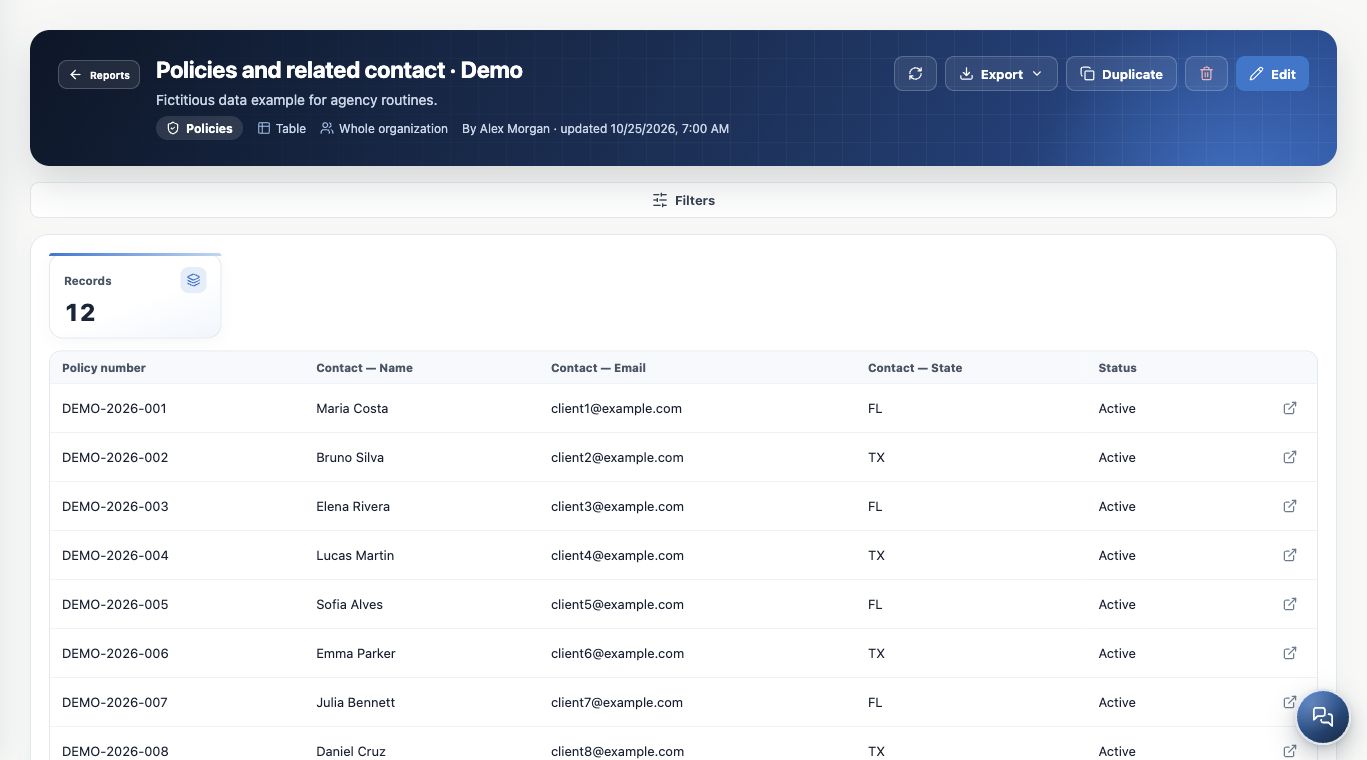
Include the related contact
- Create or edit a Policies report.
- Keep One row per → Policy.
- Open Add or remove columns and find Related.
- Add Contact — Name, Email or State when available.
- Filter contact fields when relevant, such as State = FL, and check the links.
Deals and Tasks also support related contact fields, subject to access. This uses the contact linked to the record, not an unrestricted join with every contact. Accessible contact names can open their records.
Switch to member-level rows
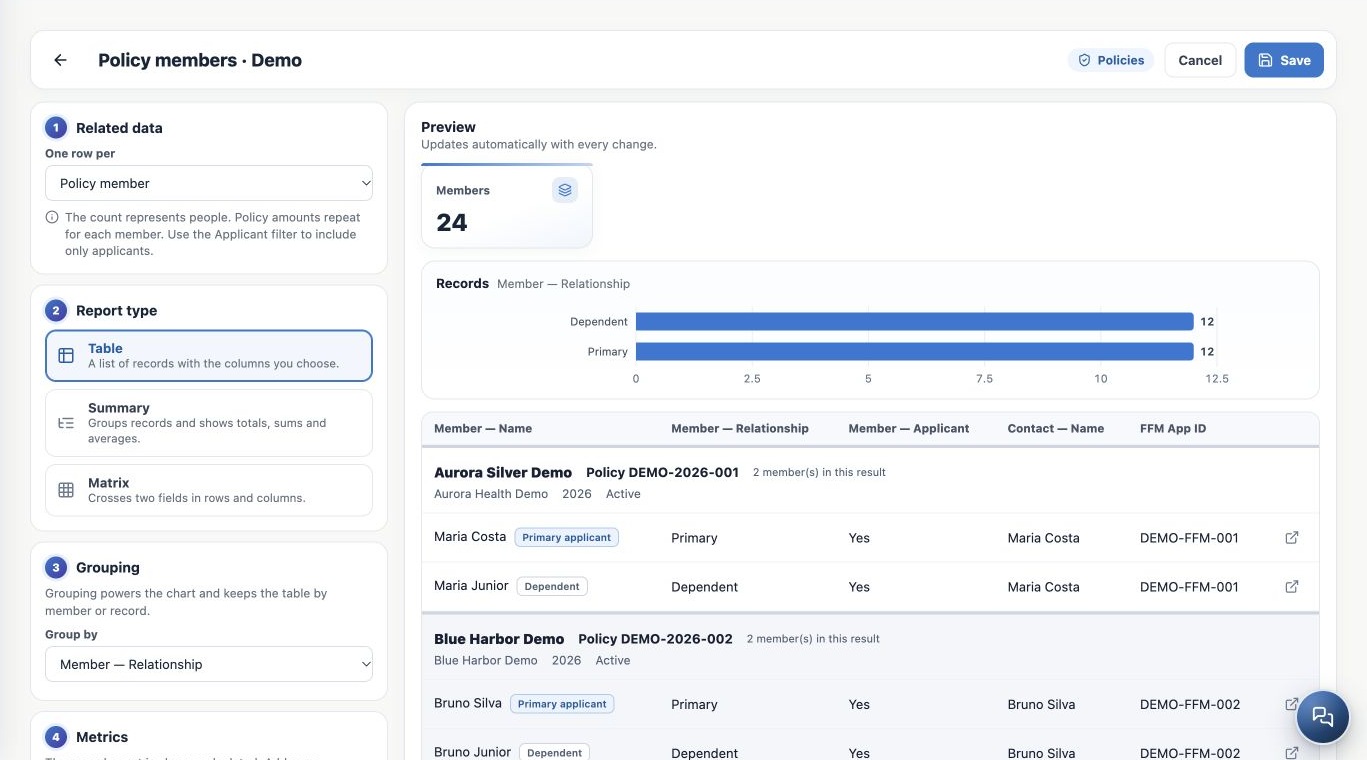
- In Policies, open Related data.
- Choose One row per → Policy member.
- Add Member — Name, Relationship and Applicant, with useful policy and contact columns.
- Review groupings, filters and metrics after changing mode.
- Check the preview and save with a name clearly indicating people.
Member fields appear in this mode. An immigration-status member template is available when permitted; review its initial scope, which also includes primary members and people not applying.
Read policy blocks and people counts
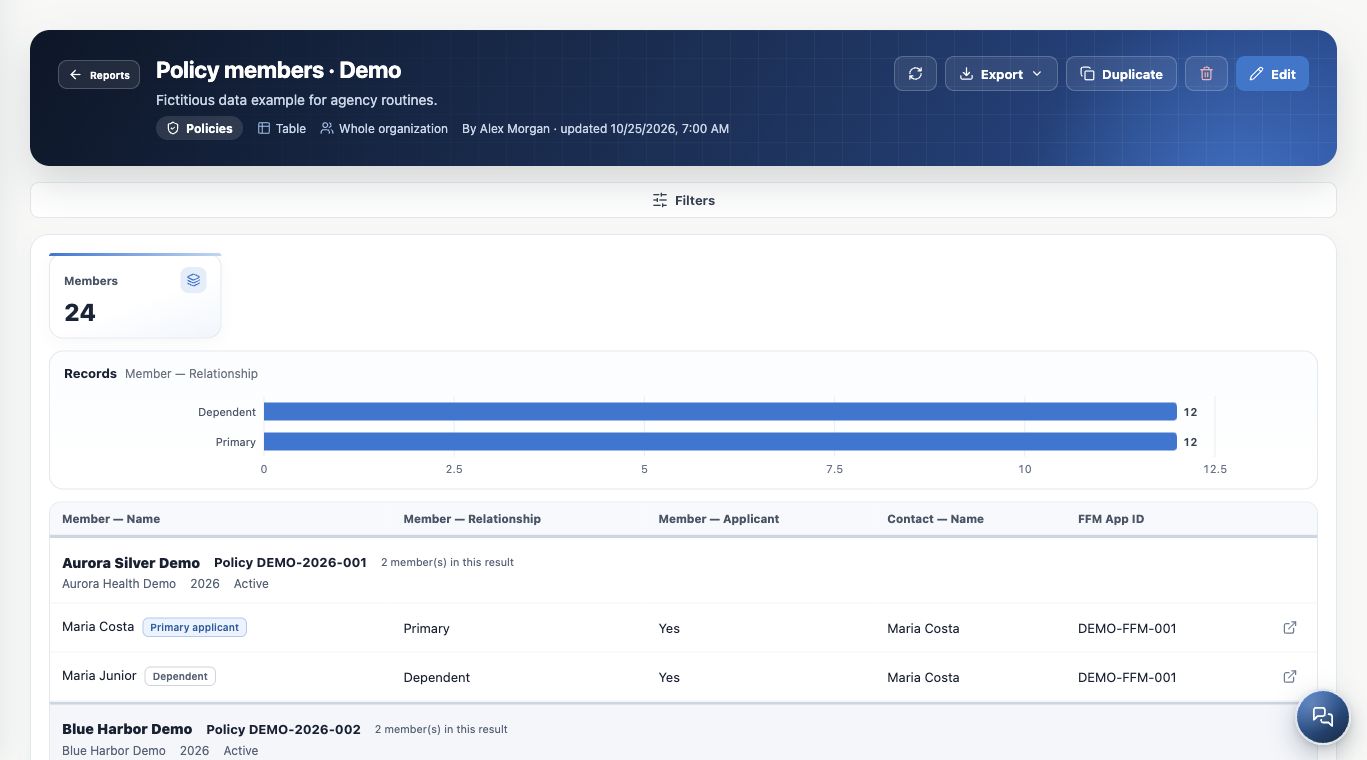
The image contains 24 members in 12 fictitious policies. Blocks identify plan, Policy number, carrier, year and status; rows distinguish the primary applicant and dependents.
Screen pagination counts policies and keeps each result family together. Totals and charts count people. Filtering members keeps only matching rows; the primary member is not forcibly reinserted. A member row still opens the original policy.
Filter a person or a policy intentionally
Use Member — Applicant to include only people applying. Member — Immigration status restricts person rows. Primary or dependent immigration-status policy fields select policies and may retain other members of matching policies.
FFM App ID is the ID entered in the Policy, not the policy number. Missing or inaccessible related contacts can disappear from related-field results; this does not prove the database value is empty.
Avoid repeating premium in totals
Policy values repeat per member. A $150 policy with three members can create three $150 rows. Summing them yields $450, not the premium of one policy.
Use one row per Policy for book premium totals, and member mode for people counts with clear applicant filters. Select only needed personal fields; related-contact export also depends on Contacts permissions.
Keep learning
- Find reports and choose how to analyze your agency
- Build a policy table with columns and filters
- Create summaries with totals, averages and monthly trends
- Cross dimensions in matrices and explore charts
- Save, share and maintain reports
- Export reports and resolve unexpected results
- Build KPIs and dashboards in Analytics
- Stay on top of your day
Updated October 25, 2026.