For: CRMDAY One users with the Insurance profile.
When to use Reports
Use Reports to select fields, list records, group information and investigate results. A saved report stores a definition and queries accessible data when opened; it is not a frozen portfolio snapshot.
Analytics organizes KPIs into dashboards and home cards. Reports offers tables, summaries, matrices and exports. Saving a report does not automatically pin it to Dashboard.
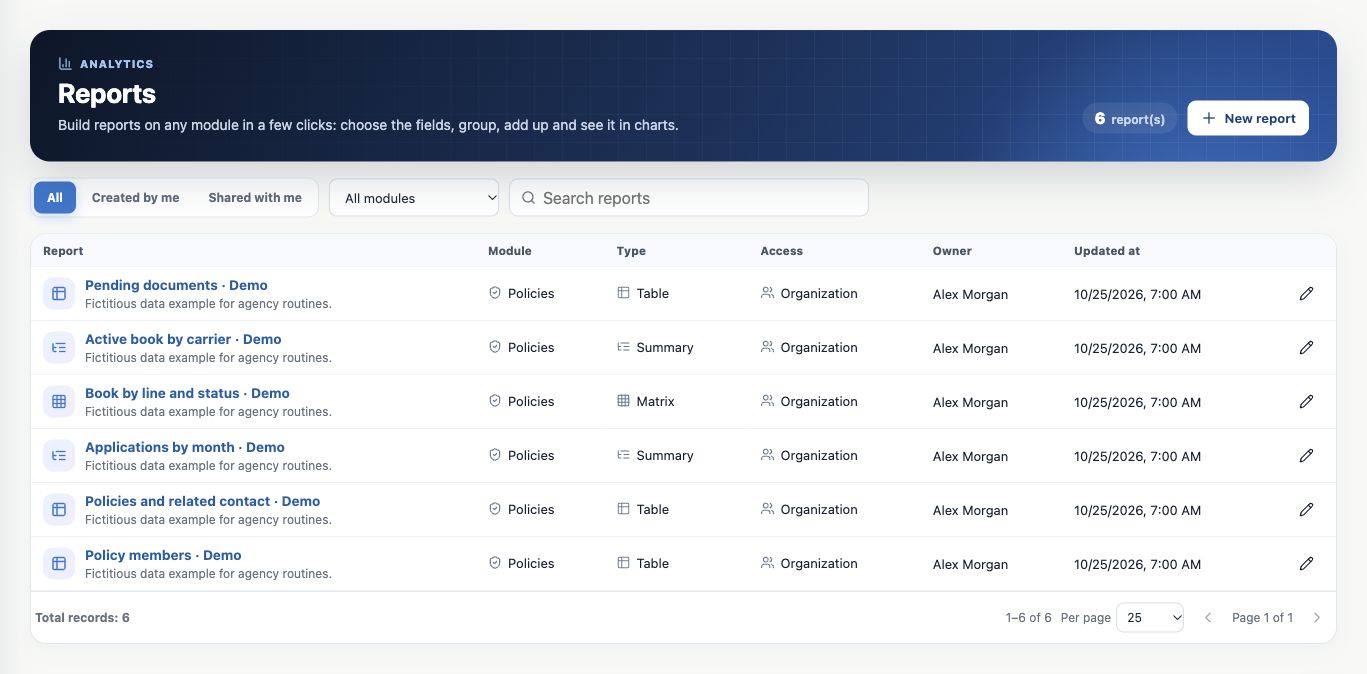
Find an existing definition
- Open Reports in the side menu.
- Choose All, Created by me or Shared with me.
- Filter by module and search by report name or description.
- Open the report name and check module, type, visibility and owner.
- Use pagination and page size to see the remaining definitions.
This search finds report definitions. To find clients or policies in the result, use report filters.
Choose module and unit
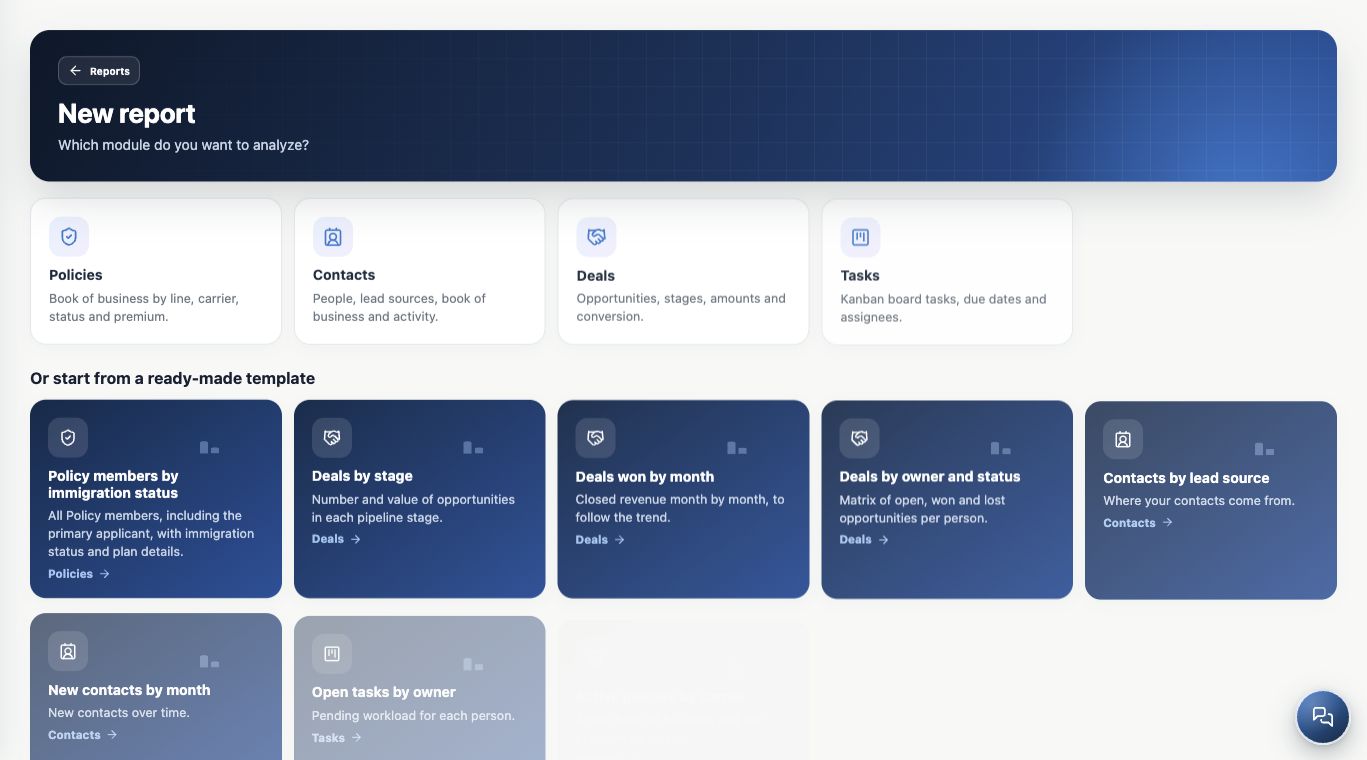
- Click New report.
- Choose Policies for the portfolio, Deals for opportunities, Contacts for leads or Tasks for activities.
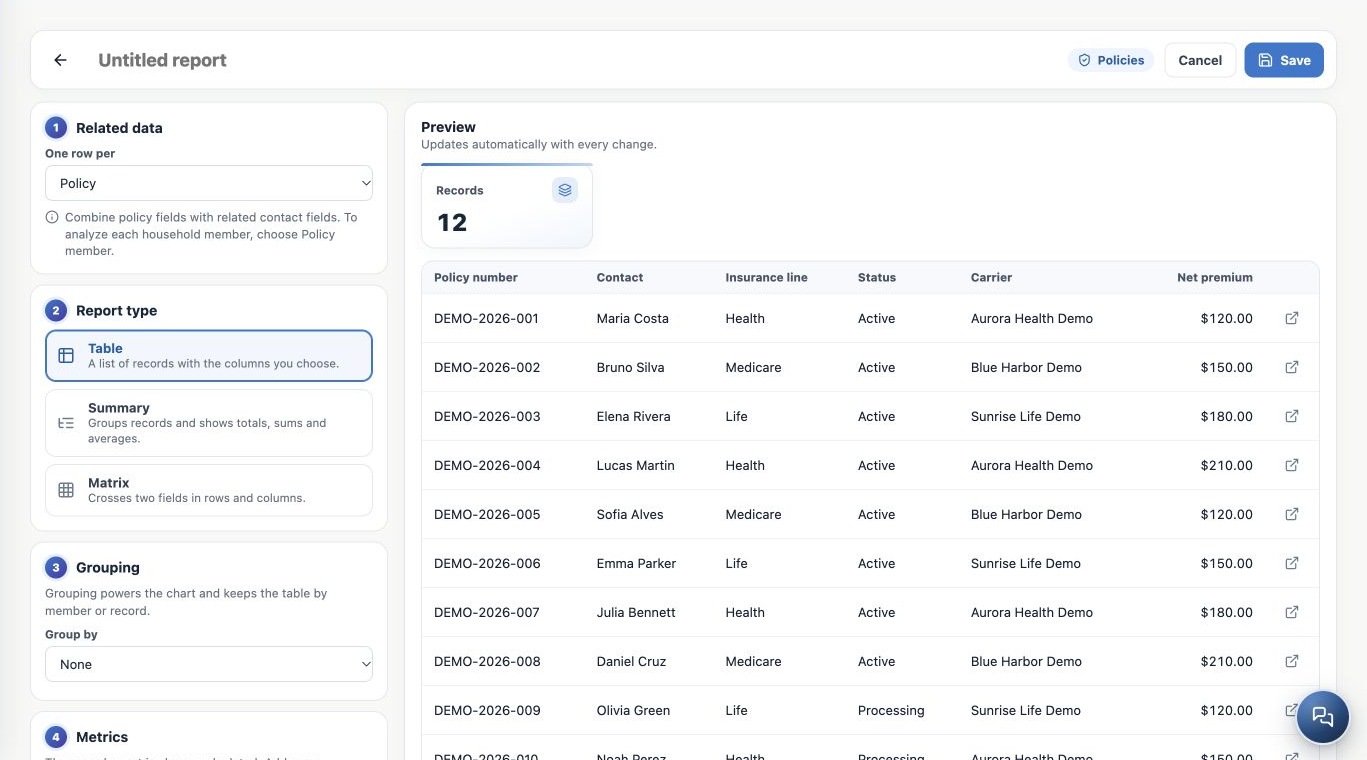
- Check available fields. In Policies, keep one row per Policy unless you need each household member.
Modules depend on plan and access. A Policies report counts policies, not automatically unique clients: one contact can have several policies.
Choose Table, Summary or Matrix
| Type | Agency question | Result |
|---|---|---|
| Table | Which records need document follow-up? | Individual records in selected columns. |
| Summary | How much active book and net premium by carrier? | One or two group levels with counts and metrics. |
| Matrix | How many policies by line and status? | Two dimensions crossed in rows and columns. |
Configuration appears on the left and live preview on the right. On mobile, switch between Configure and Result. Review the updated preview before saving.
Start from a template
Available examples include Active policies by carrier, Policies by line and status, Deals by stage, Deals won by month, Contacts by lead source and Open Tasks by owner.
Templates fill an initial definition. Review dates, filters, fields, groupings and unit; they do not create clients or update policies. Custom names and descriptions stay as entered when you change interface language.
Keep learning
- Build a policy table with columns and filters
- Create summaries with totals, averages and monthly trends
- Cross dimensions in matrices and explore charts
- Use related contacts and analyze policy members
- Save, share and maintain reports
- Export reports and resolve unexpected results
- Build KPIs and dashboards in Analytics
- Stay on top of your day
Updated October 25, 2026.