Qualification means understanding the person’s needs and deciding on the right next step. When there is a concrete opportunity, a Deal tracks the sales discussion while keeping it linked to the contact.
Understand the case before offering a solution
Alex confirms how to reach Maria, who needs coverage, which product she wants and when she expects it to begin. He also records questions, preferences and missing information.
For ACA, residence, household composition and income will matter at the quoting stage. Collect and check information according to the agency’s process; you do not need to complete every policy detail just to start a conversation.
Use the contact record to review identity, lead source, labels and history. Labels help organize work, but do not replace a description of the need or a recorded next action.
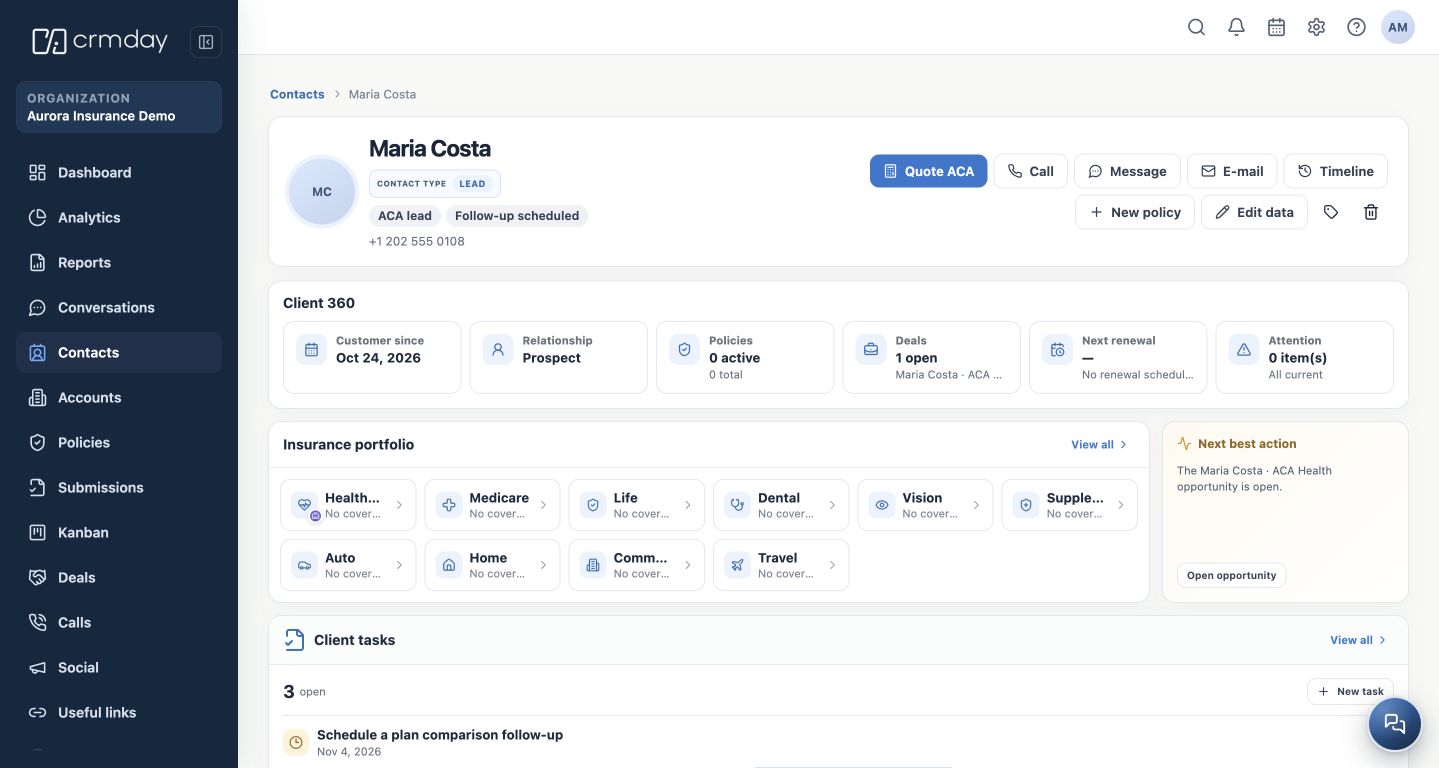
Create a Deal when there is an opportunity
The Deal represents the sales discussion, such as Maria Costa · ACA Health. Link it to the correct contact, choose the appropriate pipeline and stage, and check the owner. Creation can start from the contact record or the Deals module, depending on the available features.
The example pipeline uses Qualification, Proposal, Won and Lost. These are example stages; your agency may configure different names and processes. Move the Deal when the sales situation actually changes.
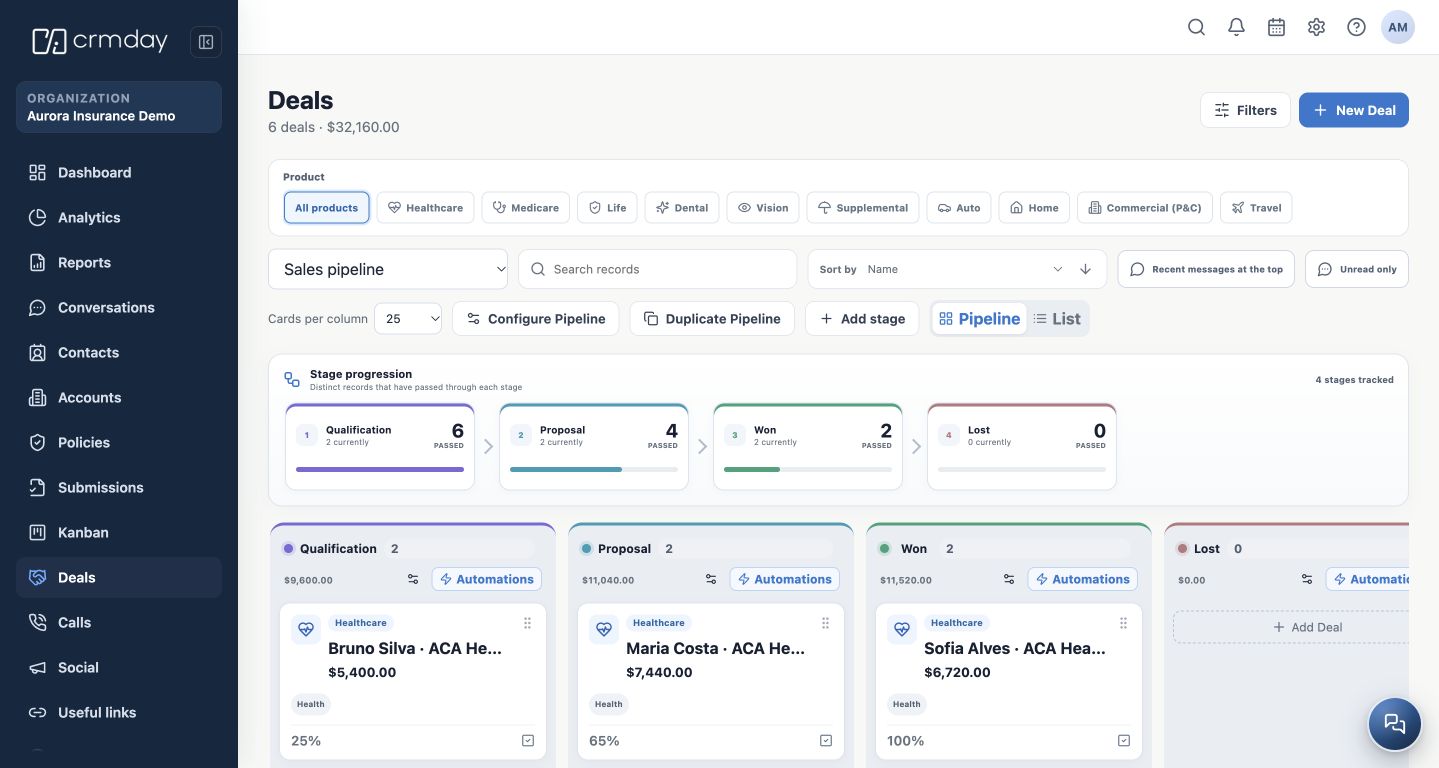
Always leave a next action
If information is missing, schedule a Task with a deadline and owner. If the person is ready to review ACA options, proceed to quoting. If the timing is not right, record why and agree when to follow up.
Do not mark a Deal as won just because the client replied or received a simulation. The sales outcome should reflect the agency’s process; policy status is tracked separately.
What you should understand
The need is understood, an owner is assigned, and there is a Deal or another next action appropriate to the lead’s situation.