A lead is someone who has shown interest and still needs an initial response and qualification. Leads can arrive through different channels; the goal is to identify the person and continue in the correct contact record.
Entry 1 — You create the contact
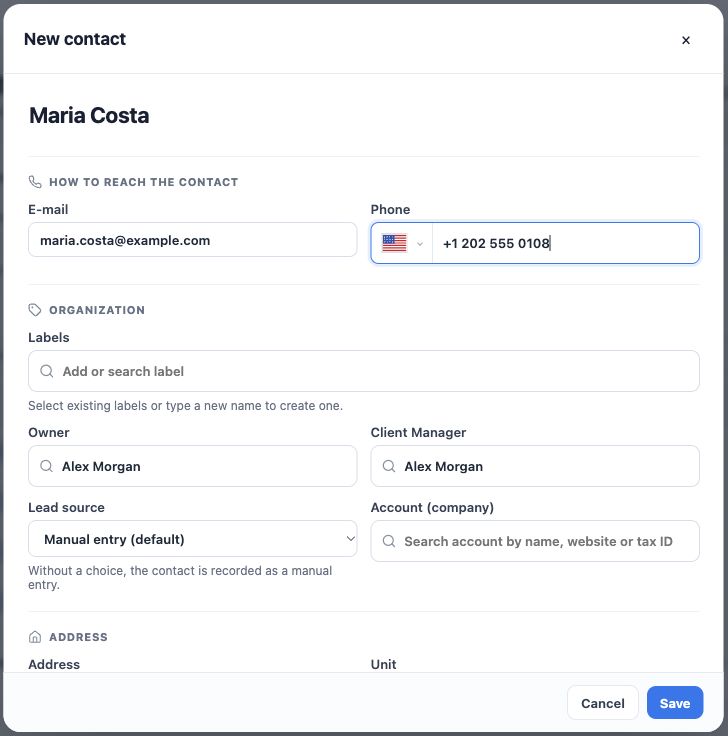
If the person arrives through a referral, a phone call or an in-person visit, start in Contacts → New contact. Name, email, phone, owner and lead source provide context for the first response.
In the example, Alex prepares Maria’s contact record. Before saving, he searches her phone and email to check whether she already has a record. The next step is to speak with her and understand her needs.
Entry 2 — The person completes a web form
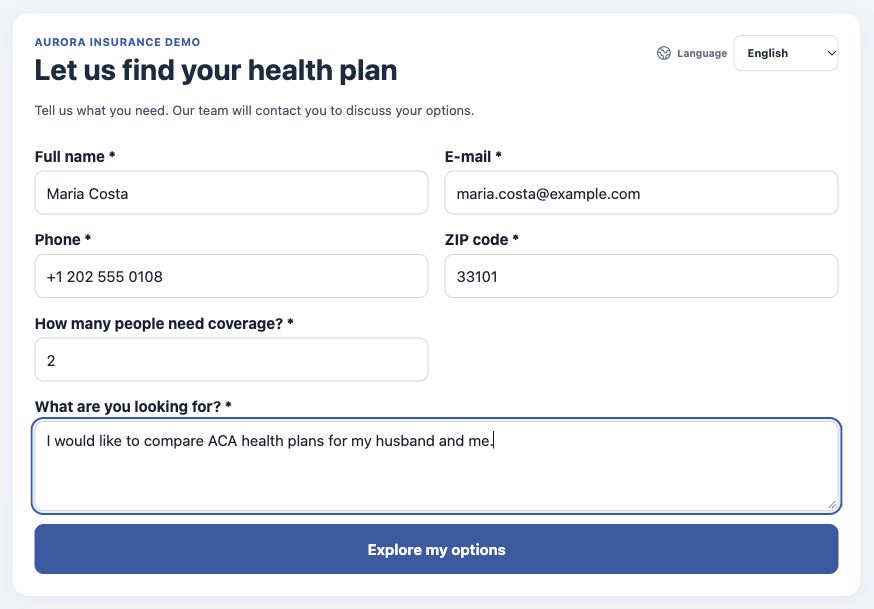
A web form is a public lead-capture form. The person enters their details and what they need. When the form is published and configured, a submission can create a contact or update an existing one, according to the identity information and form rules.
Here, Maria asks about health options for two people. The team reviews the contact and the submitted information before following up. Form configuration and publication are handled by users with administrative access.
A lead-capture web form and a signature form serve different purposes. Requesting information does not mean signing a consent form or purchasing a plan.
Entry 3 — The person starts a conversation
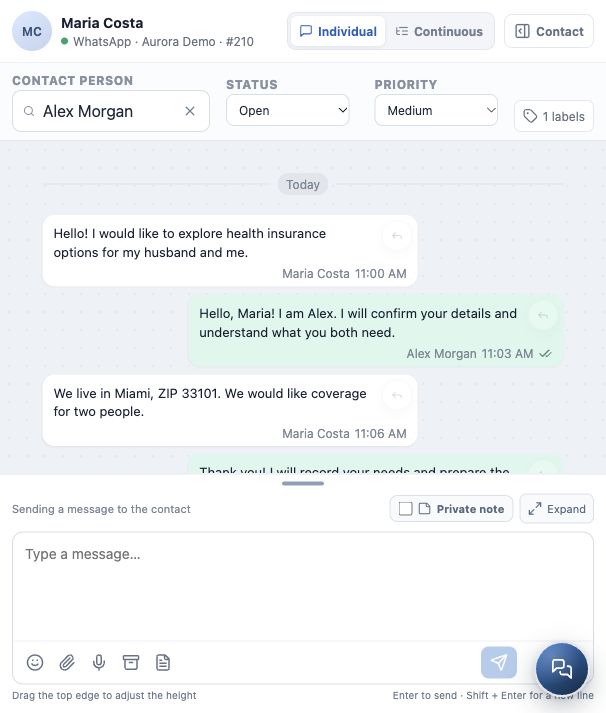
Maria could also arrive through a connected channel in Conversations, such as the WhatsApp inbox in the example. The message and available channel identity start the interaction. Check the linked contact and complete the necessary information.
The channel must be connected and available to your team. A new message does not always mean a new person: an existing client may be returning to the agency.
Three alternatives, one reference record
These are alternative entry paths. Do not create three Maria records because she uses several channels. Check identity before creating or linking records and follow the agency’s process for possible duplicates.
Next: confirm what the person needs, decide who will follow the case and record the next action.
What you should understand
You recognize where the lead came from and know which contact record to use without duplicating the person because of the entry channel.