Who this is for: All users
CRMDAY One brings client records, conversations, sales opportunities, policies and upcoming activities together. In the Insurance workspace, it helps you follow each client and your book of business without relying on scattered notes.
Step by step
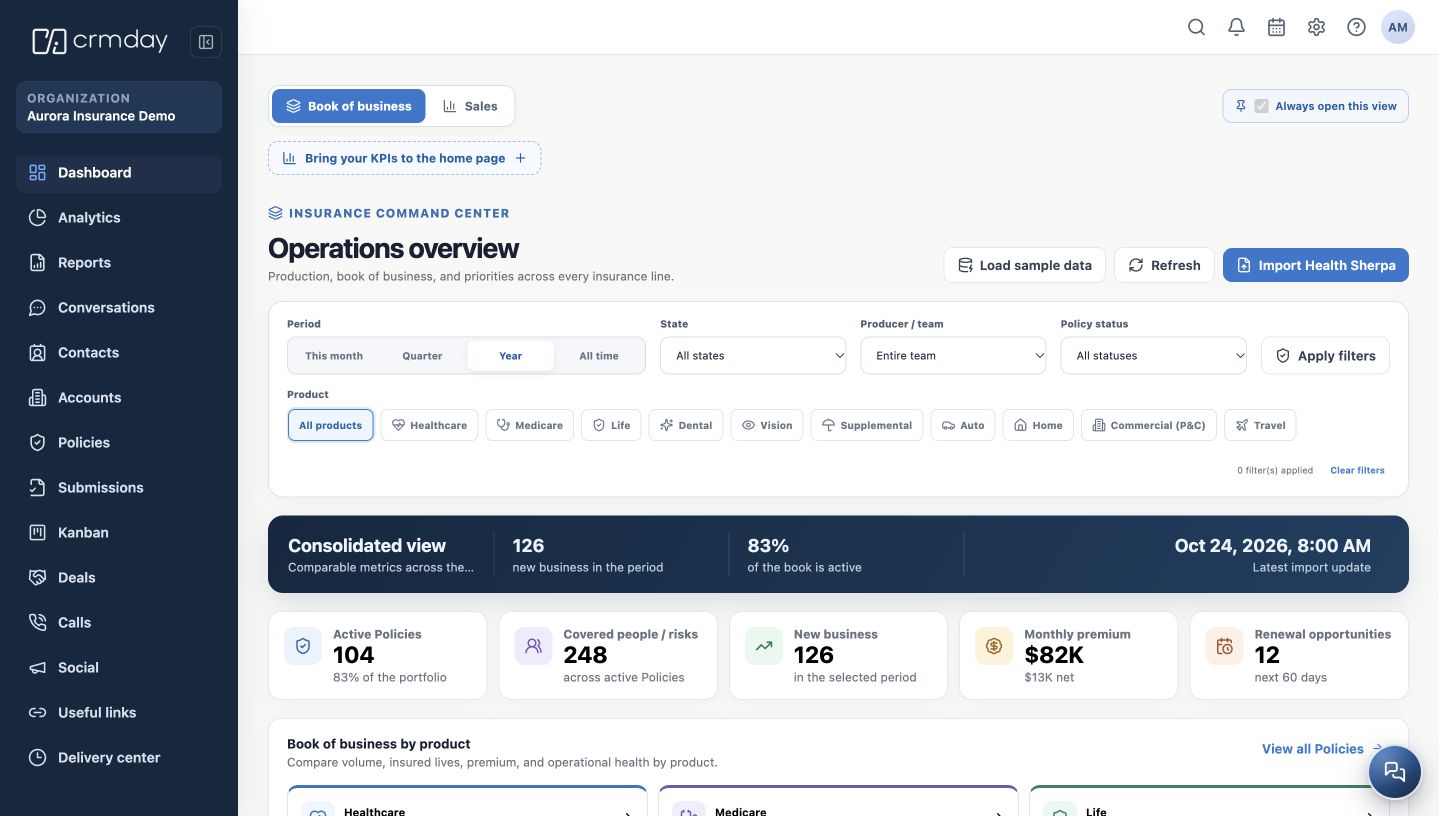
- Open Dashboard in the side menu for an overview. In the example, the fictitious agency has 126 new business records in the period and 104 active policies.
- Use Contacts to find a person. The contact record connects personal information, conversations, documents and related records.
- Open Conversations to handle an interaction, Deals to follow a sales opportunity, and Policies to review recorded insurance information.
- Record the next action in Kanban or Calendar, depending on the activity. This keeps the follow-up moving after the conversation ends.
A simple example
Sam Taylor asks about insurance. You find the contact, record the interaction, follow the opportunity and create the policy record when the necessary information is available. If a document is missing, leave a task describing the next action.
Available menus depend on your agency’s enabled features and your permissions. Ask your administrator if an expected option is missing.
How to check you are ready
You can identify where to find a client, handle a conversation and follow a policy.