Who this is for: All users
Prepare your access, professional identity, email and forms before handling your first clients. This is the first category of the Insurance manual.
How to use this guide
Read in order or open the topic you need. Each chapter includes the path in the system, the steps and a final check. Language links open the equivalent version of the same chapter.
Your learning path
- What CRMDAY One is and how it supports your work
- First sign-in and a tour of the main screen
- Understand Contacts, Accounts, Deals, Policies and Tasks
- Set your profile, language and time zone
- Set up your Producer information
- Check the agency details
- Connect your personal email account
- Set up the organization email
- Use the form templates already available
- Review the template, language and signature experience
- Your first day: from the client to the next action
Who configures what?
- You: personal preferences, Producer information and your own email account.
- Agency administrator: agency details, shared email accounts and the form catalog.
- Team: uses the features available to each role and requests changes from the administrator when needed.
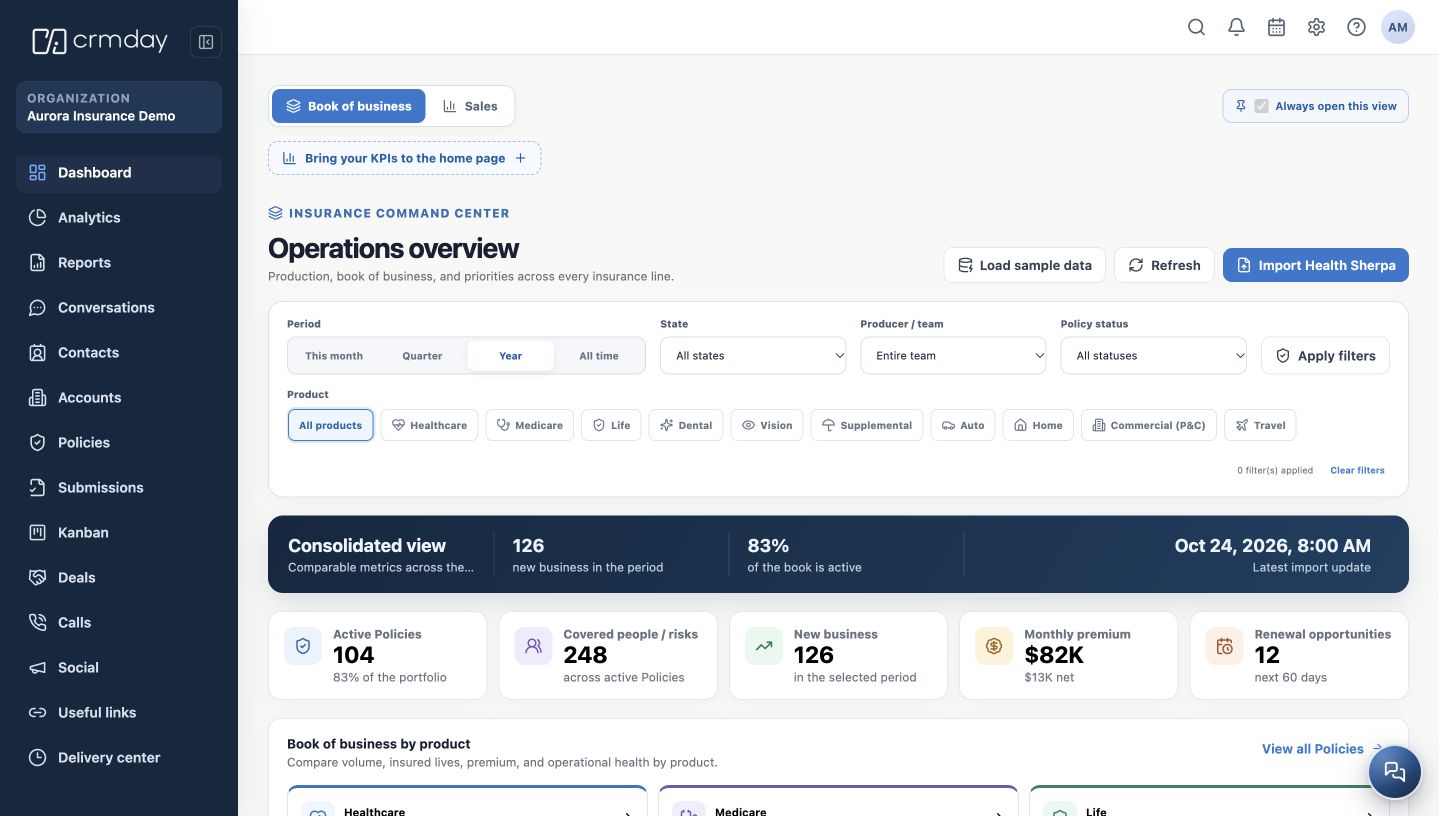
The screenshots were captured in the actual CRMDAY One interface, running in an isolated local demonstration environment. Aurora Insurance Demo, people, NPNs, email addresses and numbers shown are fictitious. Do not copy these values into your operation.
How to check you are ready
Complete your personal setup first. Coordinate the shared agency settings with your administrator.