For: CRMDAY One users with the Insurance profile.
Recipe: opportunities by stage
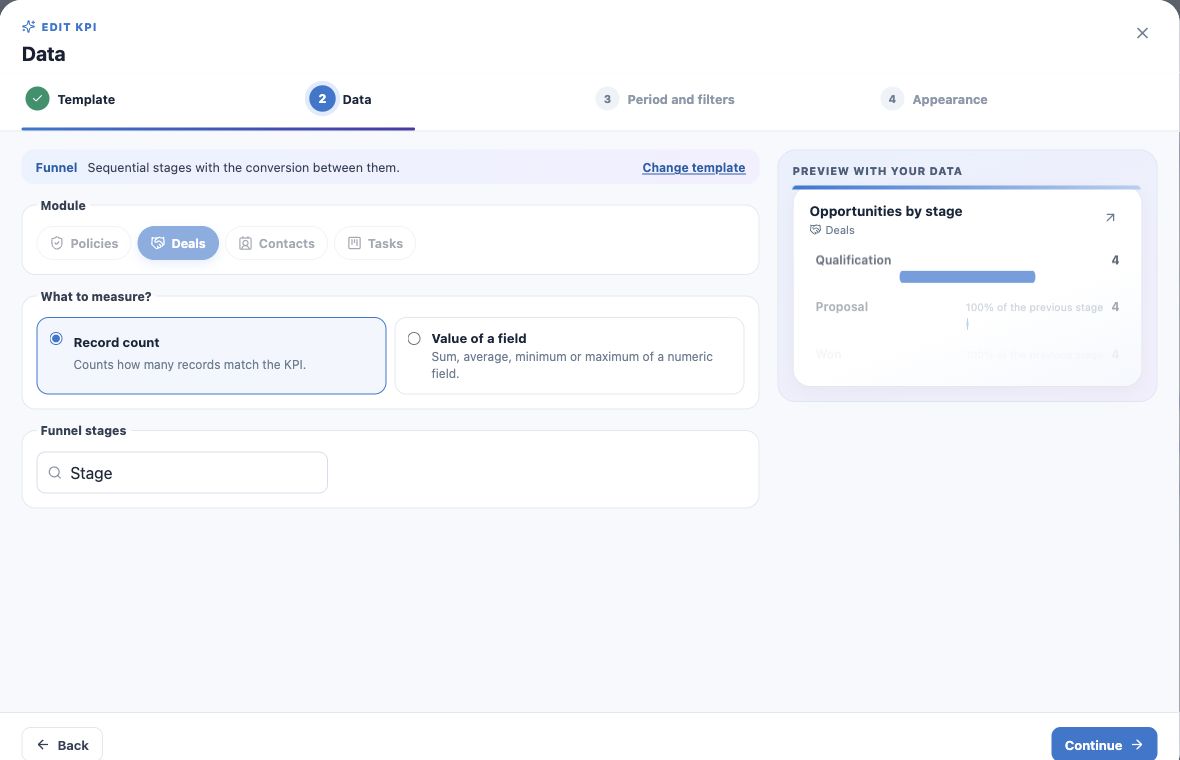
- Create a Funnel KPI.
- Choose Deals and Number of records.
- Choose Stage as the funnel grouping.
- Check period and filters. Without a date restriction this is the current distribution of included records; filter to open opportunities if needed.
- Name it Opportunities by stage and create.
- Open a stage to inspect its Deals.
Separate distribution from a historical journey
The ratio against the preceding stage compares group values in this query. It does not prove the same clients passed through every phase or establish historical conversion.
The example has four opportunities in each of three stages. Use the appropriate Sales cohort or stage-passage view for that different analysis.
Keep pipeline context coherent
With several pipelines, ensure the included records and stages belong to the process being analyzed. Similar stage names do not make different workflows equivalent.
Filtering to Open excludes won opportunities. Choosing value rather than count makes widths represent the selected numeric calculation.
Recipe: yearly applications by owner
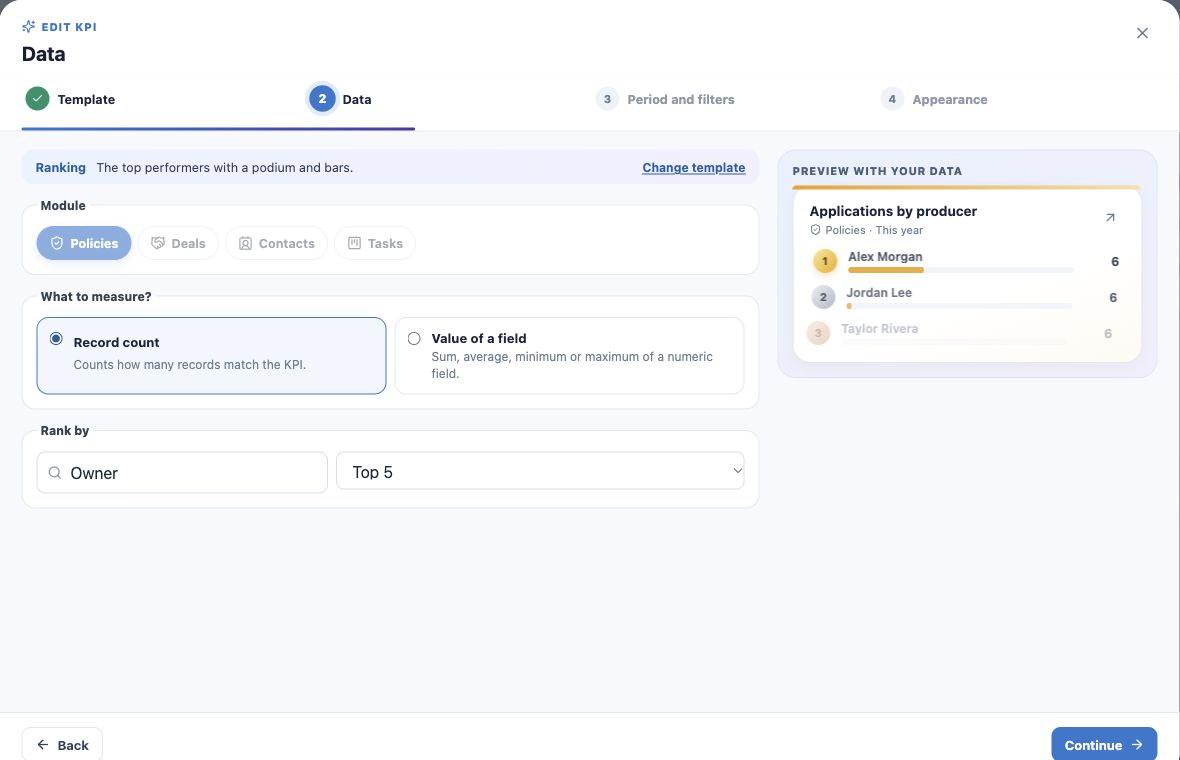
- Create a Ranking KPI.
- Choose Policies and Number of records.
- Rank by Owner and select Top 5.
- Choose Application date and This year.
- Name it Applications by Owner — year and create.
- Open a position to inspect its records.
Explain what owner means
Owner is the record’s responsible user. It is not automatically the credited Producer, NPN holder or commission recipient. Confirm fields and data quality before using a different business interpretation.
Ties are possible. Top 5 may omit part of the team. Compare the same metric, period and criteria.
Combine models in a team dashboard
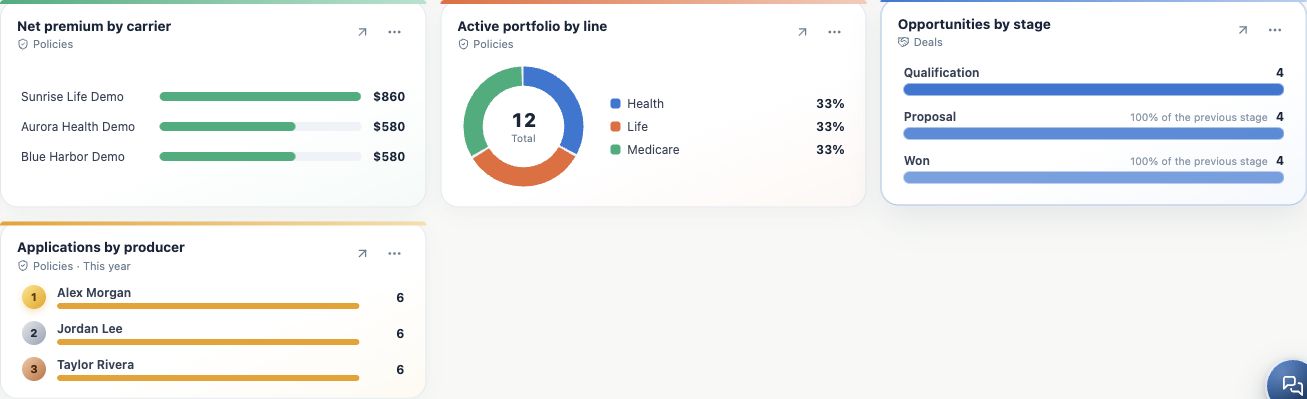
A dashboard can combine funnel, ranking and portfolio share. Their placement together does not make their filters identical.
The agency-management example presents them as independent cards. Validate underlying records before using them in a meeting.
Keep learning
- Plan your KPIs and learn the Analytics wizard
- Create numeric indicators and production goals
- Create application and renewal trends
- Compare carriers and show product share
- Build custom dashboards and use the insurance template
- Put KPIs on your home page
- Review, edit and validate indicators
- Organize activities and processes with Kanban
- Stay on top of your day
Updated October 25, 2026.