For Insurance agency Owners and administrators.
Review dependent processes first
The change affects the organization. Identify people, records, links, imports, reports, forms and automations that rely on the resource. Agree on timing and record the previous state. At an Insurance agency, disabling Policies can affect policy workflows; disabling Deals can interrupt opportunity tracking.
If you intend to restrict one colleague, adjust that person’s access under Security and data. Disabling a module is a team-wide decision. Do not use its switch as a substitute for stopping an automation, canceling messages or suspending a channel; review each process in its own settings.
Disable a module
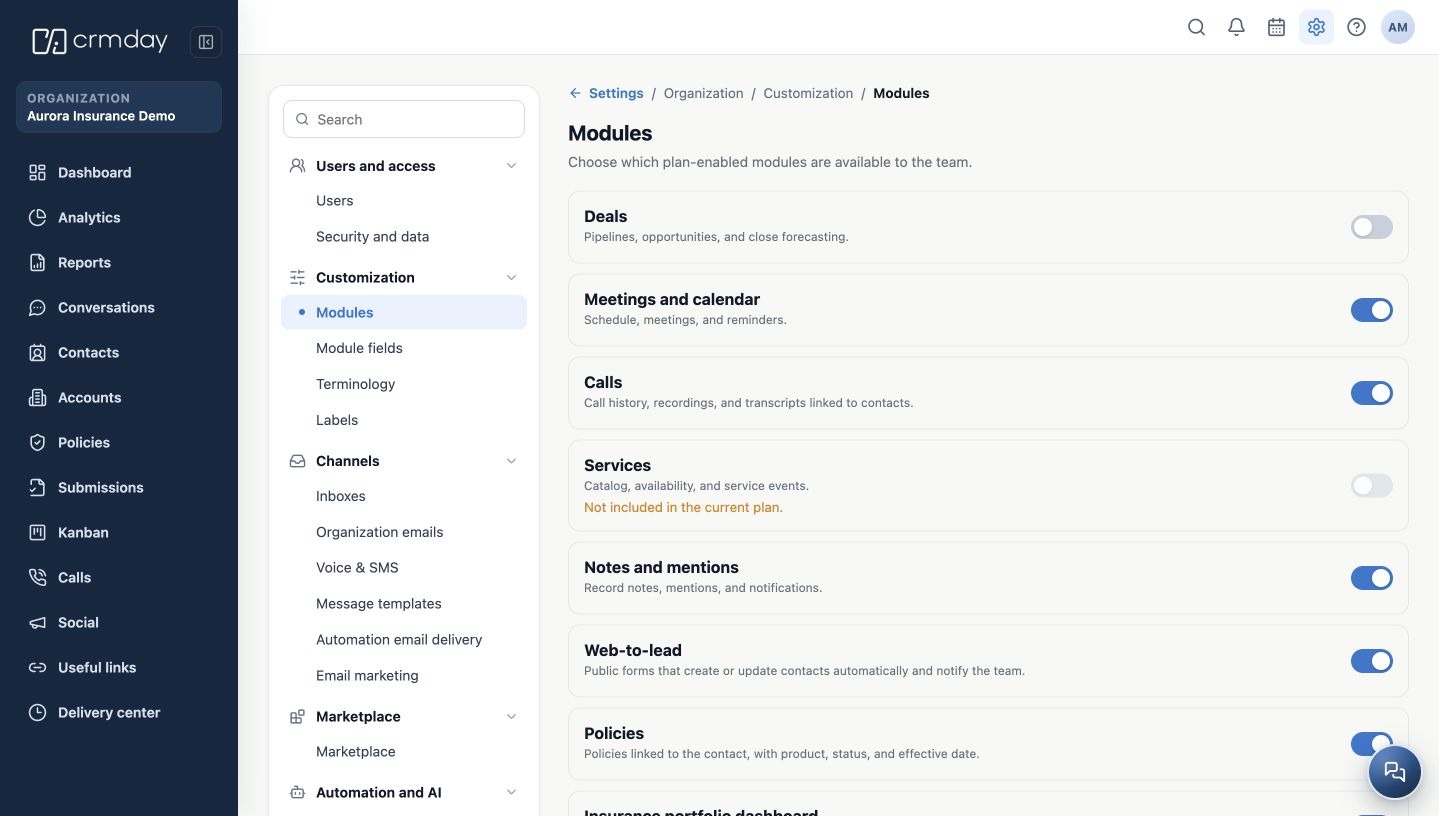
- Open Settings → Customization → Modules.
- Confirm the correct item and turn its enabled switch off.
- Wait for saving, then reopen the screen.
- Confirm the switch is off.
- Check navigation and the paths used by the team and communicate the new procedure.
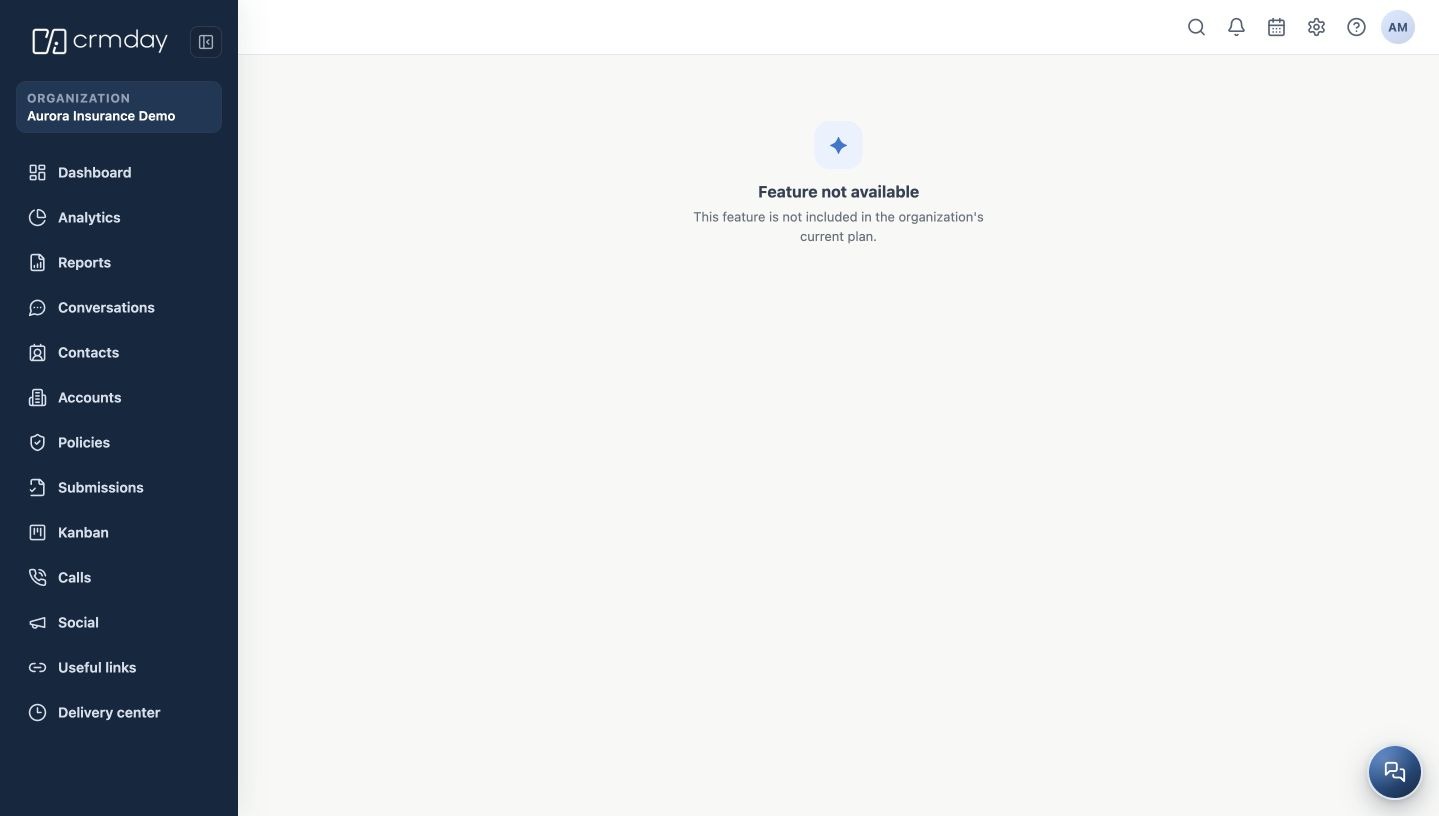
In this example, Deals disappears from the menu after being disabled. A direct link may show Feature not available. An old bookmark does not prove the resource is still enabled.
What happens to records and the subscription
Disabling a module does not delete its records. The setting changes availability rather than deleting the book. You do not need to export and reimport records simply to turn the same module off and on.
It does not cancel the subscription, reduce the license count or guarantee a price reduction. Contract questions belong with the subscription manager. Deactivation is not confirmation that every running job, integration or message dispatch has been canceled; check those workflows separately.
Re-enable and resume work
- Confirm the plan still grants the module.
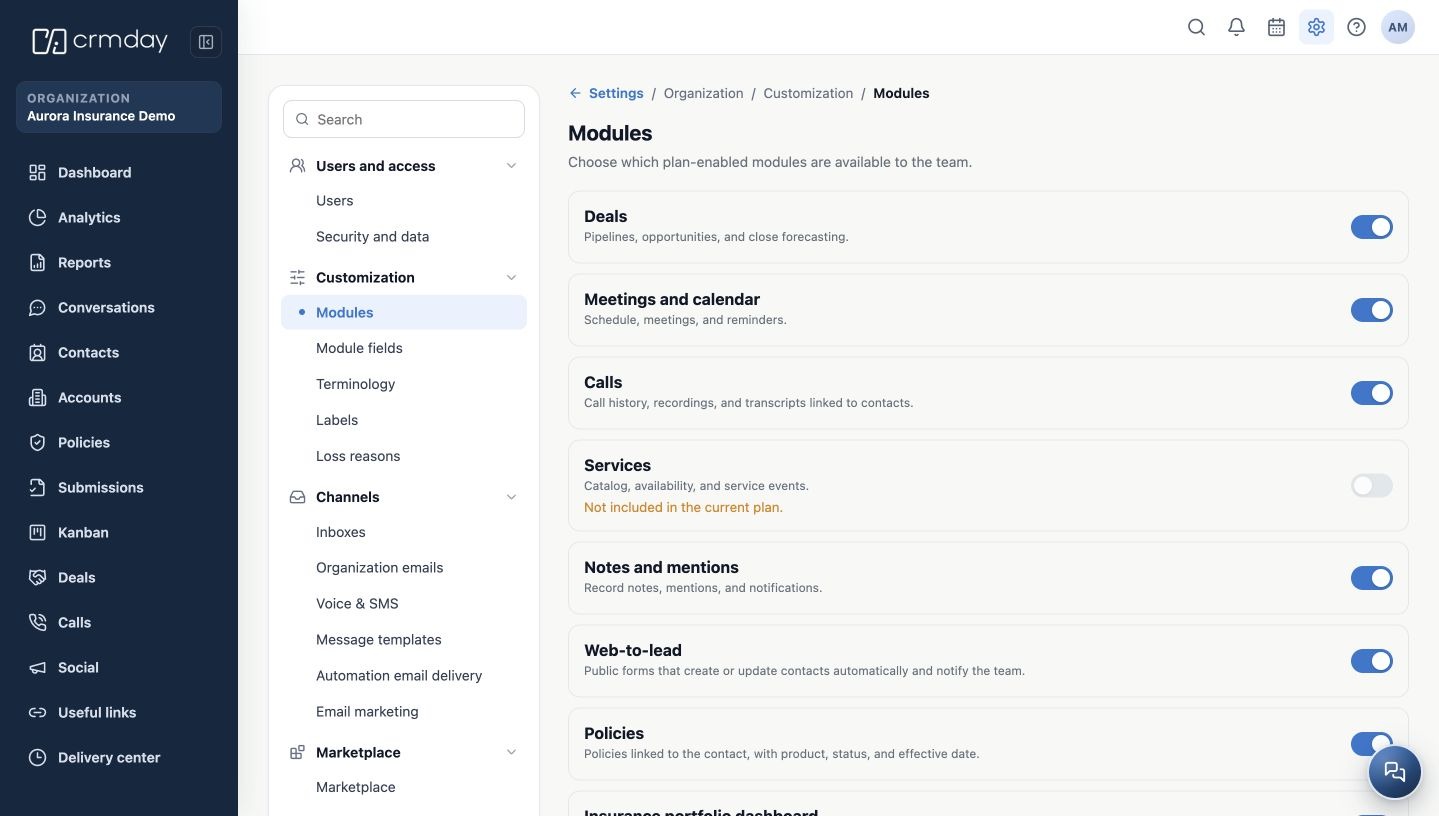
- Return to Modules and turn its switch on.
- Reopen and confirm the saved state.
- Open the resource and review existing records, filters and Owners.
- Validate configuration, permissions and related processes before resuming normal work.
If records are missing, check organization, filters and user access before creating them again. If the plan changed and the item is blocked, reactivation depends on contracted availability. Individual record statuses are separate from the module switch.
Related guides
- Understand Modules and plan your customization
- Enable modules and verify they work
- Connect modules, permissions and other customization settings
- Troubleshoot unavailable modules and validate changes
- Administrator manual
Updated October 25, 2026.