For Insurance agency Owners and administrators.
A profile combines actions and scope
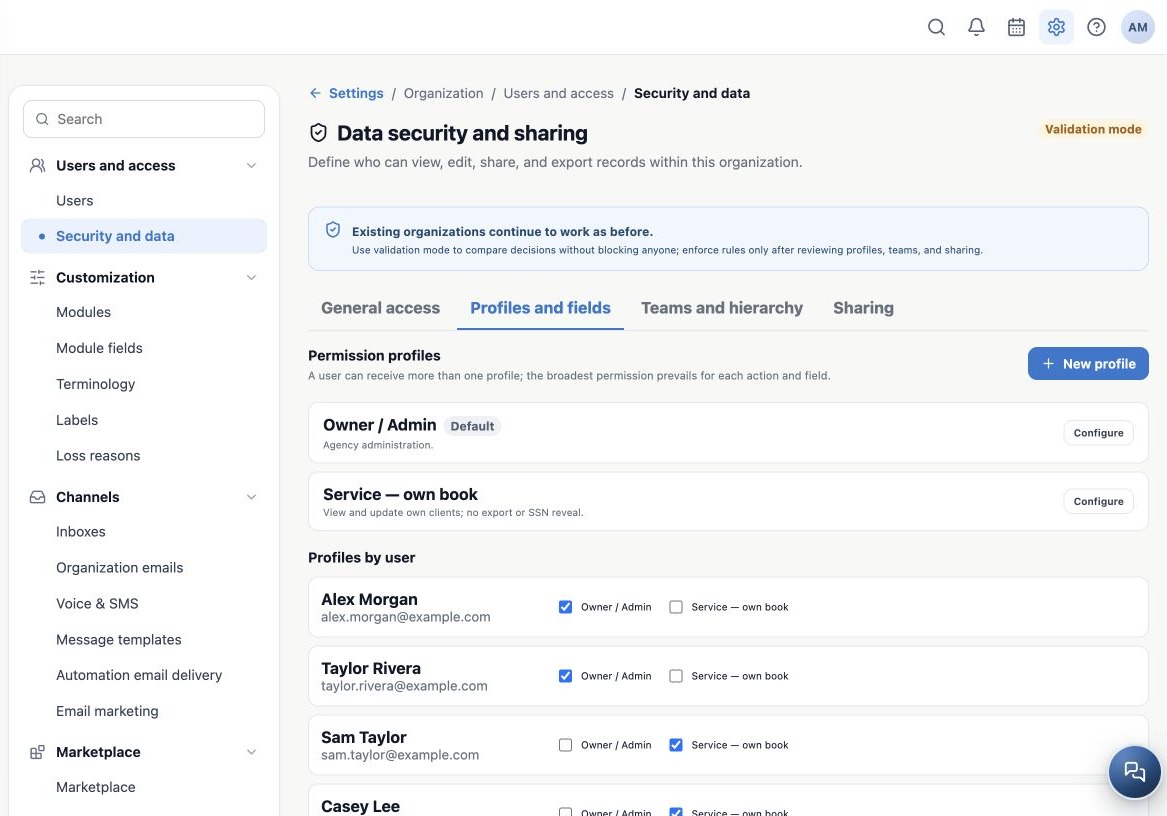
In Security and data → Profiles and fields, review existing profiles and Profiles by user. A profile answers what a person can do and to which records. Create separate profiles for production, service and supervision when needed.
Create or adjust a profile
- Click New profile or Configure beside an existing one.
- Enter a clear name and description, such as Service — own book.
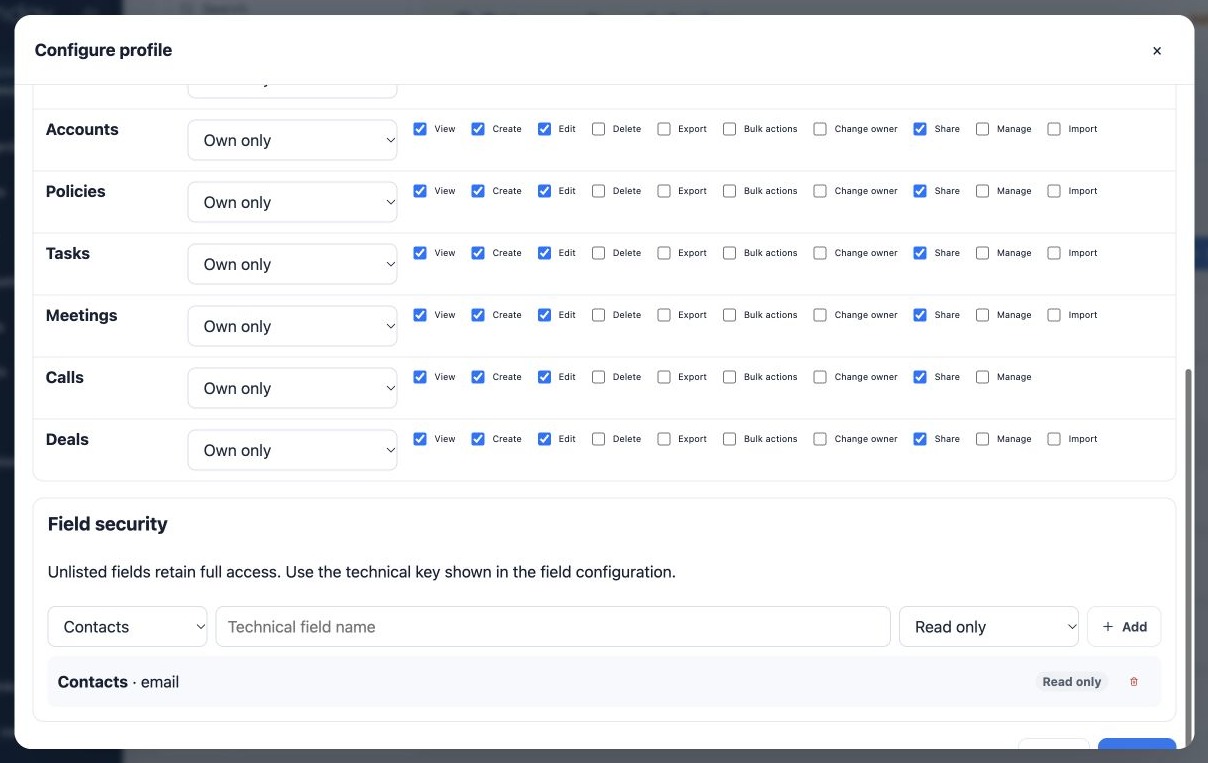
- For each module, select the scope and only the required actions.
- Review sensitive data, call visibility and fields before saving.
- Click Save and reopen the profile to confirm the choices.
Choose the record scope
| Scope | Meaning |
|---|---|
| Own only | Records whose Owner is that person. |
| Team | Records owned by people included in the person’s team scope. |
| Team and subordinates | Includes hierarchy allowed by the manager’s affiliation and profile. |
| Shared only | Records provided through rules or individual sharing. |
| All | All module records available in the organization context. |
Scope does not by itself grant an unchecked action. Public defaults, other profiles and sharing may broaden the result. Being the creator or associated Producer is different from being the Owner.
Review each action
| Action | Administrative decision |
|---|---|
| View / Create / Edit | Read records, add new ones or change data. |
| Delete | Remove records; reserve this responsibility for people who need it. |
| Export | Take data into a file, beyond viewing it in the application. |
| Import | Create or update records by file in compatible modules; this needs specific authorization. |
| Bulk actions | Operate on multiple records together. |
| Change owner | Change operational responsibility. |
| Share | Give additional access to records. |
| Manage | Manage resources covered by a module; this does not replace organization administrative roles. |
A profile action does not guarantee that every module offers that operation in its interface. Import is not offered for Calls. Check contracted modules and the actual operation the person needs.
Assign the profile and test the combination
- Return to Profiles by user.
- Check the profile for the correct person. Assignment changes save when selected.
- When replacing a profile, add the new one before removing the old one, keeping at least one.
- Reopen the area and confirm every assignment.
- Test with a representative Agent account, including an action that should be denied.
The broadest permission wins. Combining a restricted profile with another that grants All does not restrict the user. For fields, a profile without an explicit field restriction may keep full access. Review the whole combination, including the default and extra profiles.
Example: Casey may view and edit own clients without Delete, Export or Import. Share Sam’s necessary client records rather than selecting All just to enable one service interaction.
Related guides
- Plan users and access for your agency
- Choose the access model and module defaults
- Protect fields, SSN and call visibility
- Validate rules and maintain everyday security
- Administrator manual
Updated October 25, 2026.